EasyManua.ls Logo

Potter PFC-6200 - LEARN Programming

Potter PFC-6200
125 pages
Print Icon
To Next Page IconTo Next Page
To Previous Page IconTo Previous Page
Loading...
5-47

LEARN Programming
 Refer to
Section 3: Installation – Addressing SLC Devices, for detailed instructions
.
(Refer to the “Conguring Points” and “Mapping Zones” sections for details.)
To run the LEARN mode:
1. Enter button  Main Menu.
Press• 6 to select Programming."Enter Code" prompt
• 1 Learn” prompt
Press • 1 to select LEARN"SLC Initializing" prompt 
2. device type“No changes” 
• wn arrow
1
2
3
4
5
Esc
Note:  
Select • Esc
Press 3. 1 to save2 to discard
 1  “Accept conrmation” prompt
Press  Enter to accept or Esc
Press 4. Esc
Connecting the Computer and Panel


Note

Connecting a Computer to the Panel via a Network:
1. .
2. 
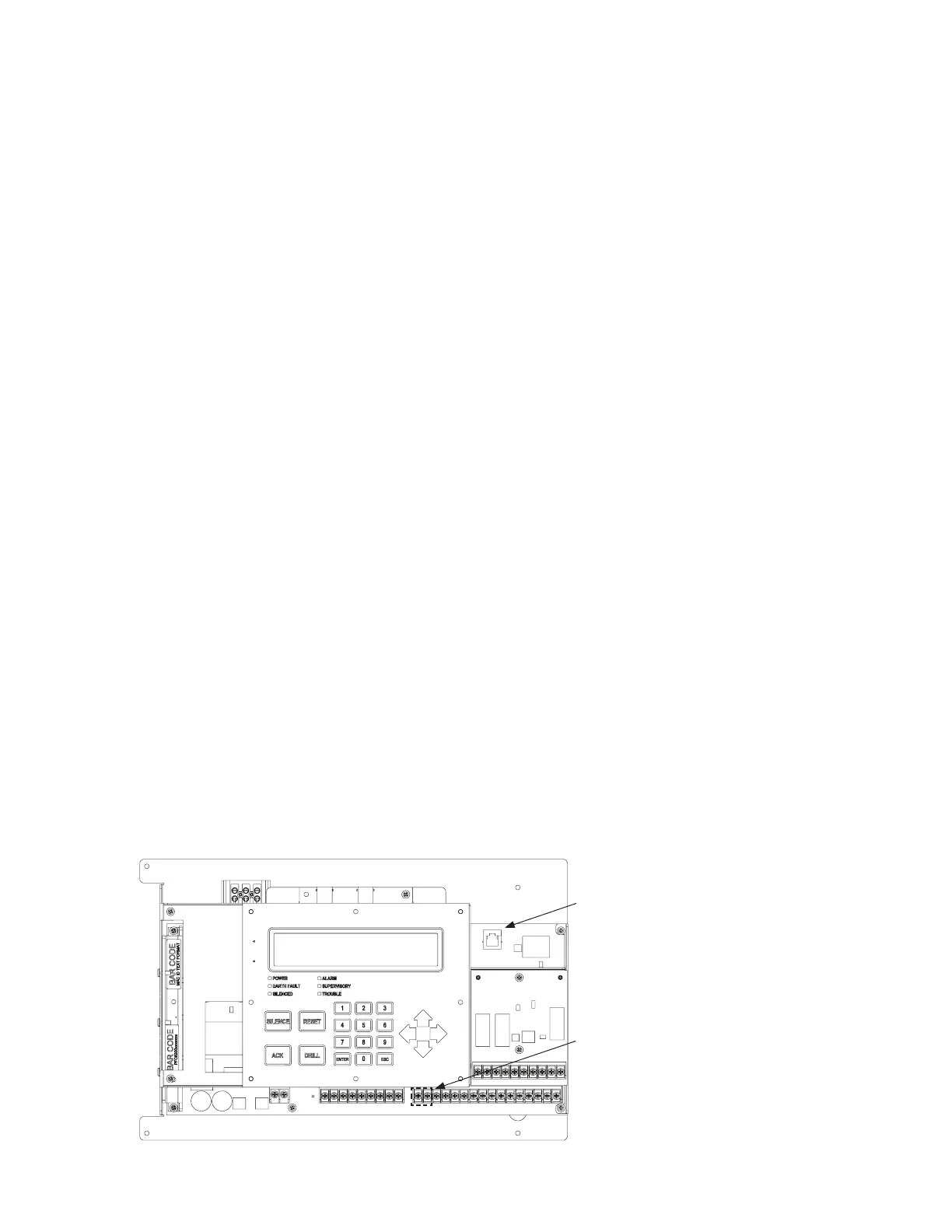
Control Panel Ethernet PortFigure 47.
DWG #602-3B
Ethernet port
SLC Program
Terminals

Table of Contents