EasyManua.ls Logo

Potter PFC-6200 - Cross Zone Configurations

Potter PFC-6200
125 pages
Print Icon
To Next Page IconTo Next Page
To Previous Page IconTo Previous Page
Loading...
5-84

Cross Zone Congurations




To create a cross zone:
Create two or more (1. “Alarm” or “Supervisory” type
2.
3.
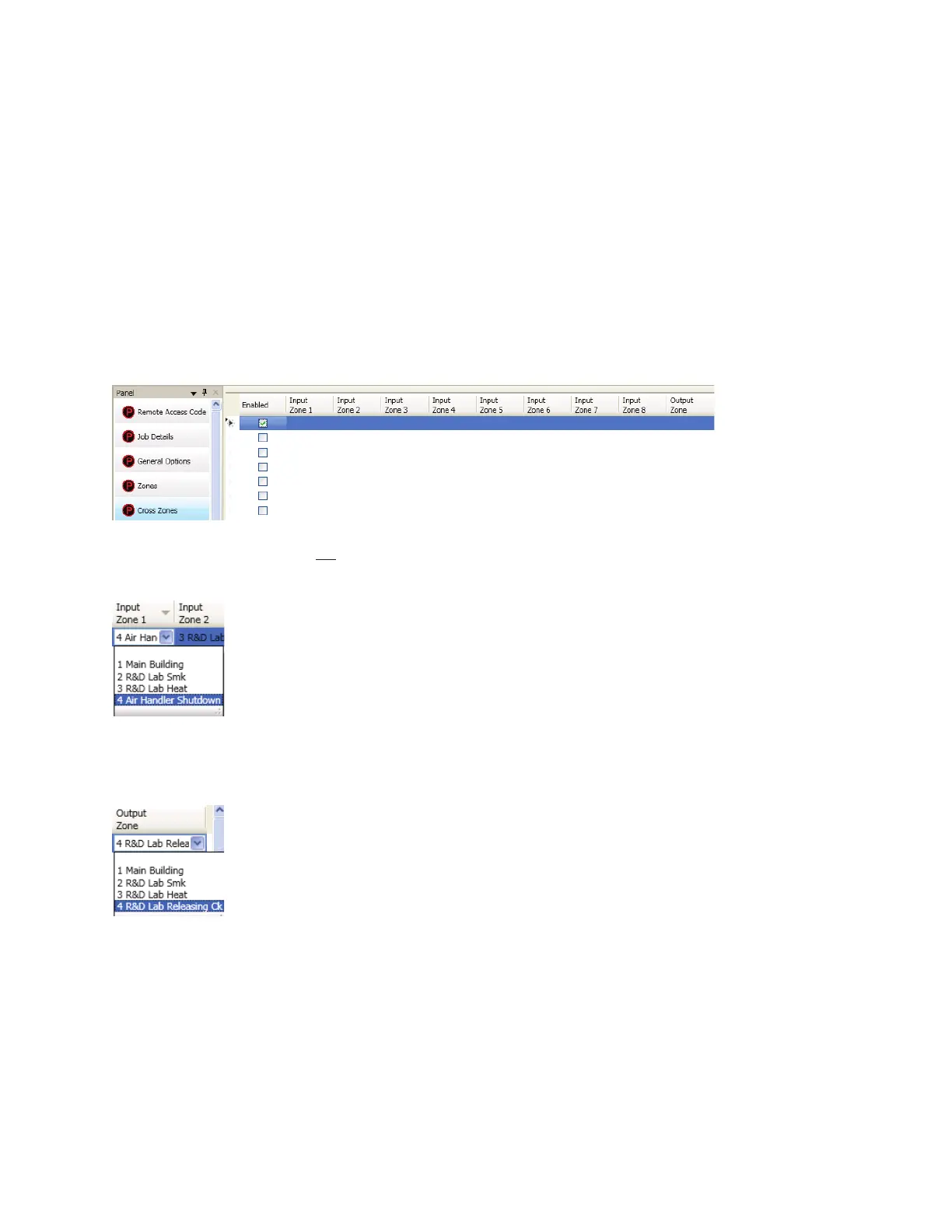
4. Cross Zones window“Enabled” box.
Cross Zones Window Showing EnabledFigure 104.
Note: not
5. “Input Zone 1” eld
6.
7. Input Zone 2” eld.
8. Output Zone” eld.

Table of Contents