EasyManua.ls Logo

Potter PFC-6200 - E-Mail Report Requested from PC

Potter PFC-6200
125 pages
Print Icon
To Next Page IconTo Next Page
To Previous Page IconTo Previous Page
Loading...
5-67

3.
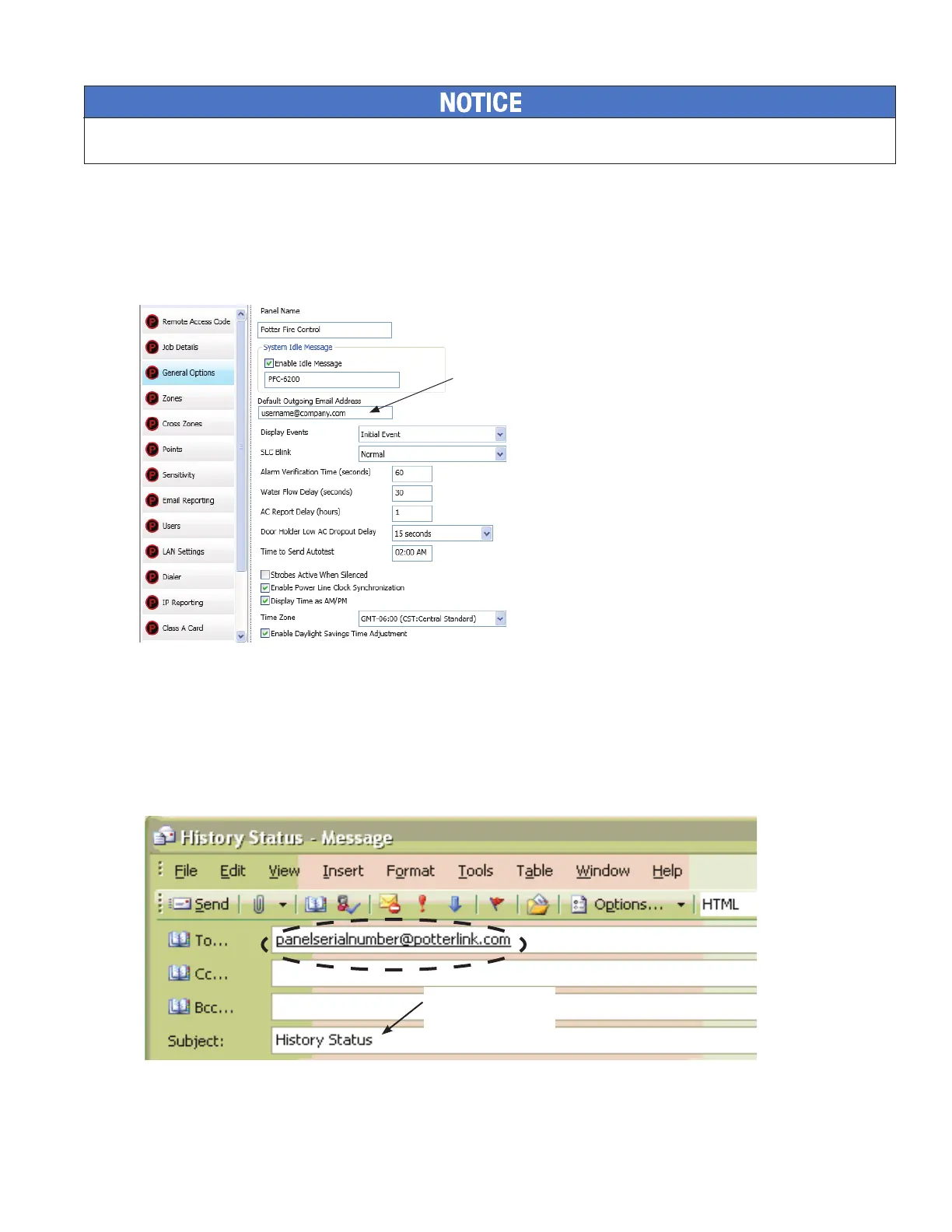
 Use Default”“General Options” (as shown below).
 "Browse List" “E-mail Reporting”
section 
 “Specify New” 
Example of the General Options Window - Default Outgoing E-mail AddressFigure 77.
Use the "Default" outgoing
e-mail address.
E-mail Report Requested from PC
To request a report from a remote PC:
Open or create a new e-mail.1.
2. "To" eld,(Refer to the "Panel Serial Number Location" shown
earlier in this topic.)
Example of Keywords in E-mail Subject FieldFigure 78.
Enter keyword(s) in
Subjecteld.



Table of Contents

Related product manuals