EasyManua.ls Logo

Potter PFC-6200 - CA-6075 Class a Converter Module

Potter PFC-6200
125 pages
Print Icon
To Next Page IconTo Next Page
To Previous Page IconTo Previous Page
Loading...
5-87

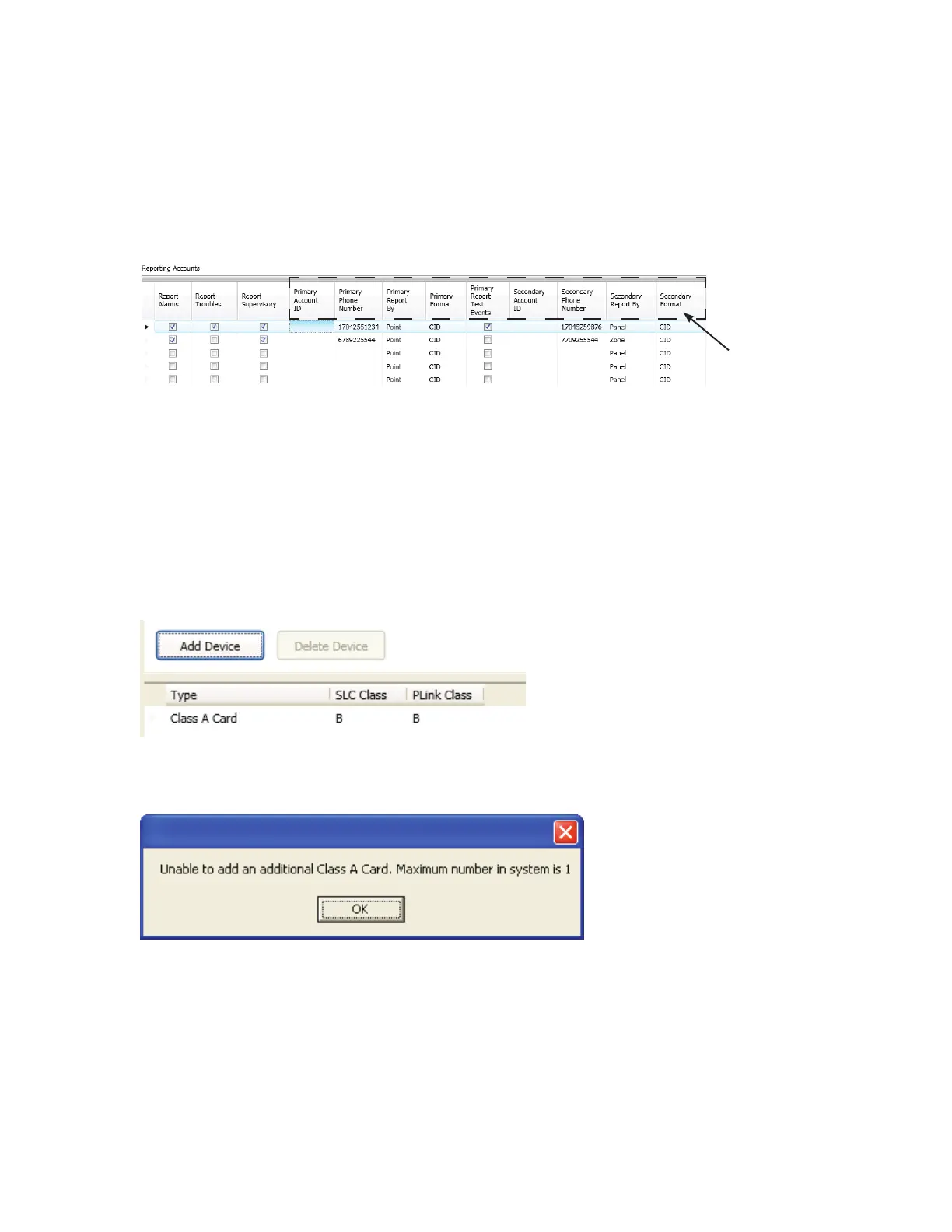
4. “Reporting Accounts” section, 
 Report type(s): Alarms, Troubles, Supervisory
 ccounts IDPhone Numbers
 Primary Report By option: Panel, Zone or Point
 Primary Format option: CID / SIA
Note
Example of Report Accounts SetupFigure 109.
CA-6075 Class A Converter Module

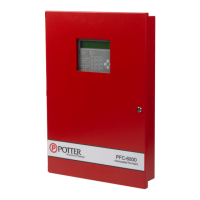
To add and congure a Class A module:
1. Class A Card function
2. Add Device button“Add Device” window
CA-6075 Class A – Add Device WindowFigure 110.
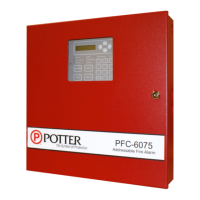
Note
Unable to Add Dialog BoxFigure 111.
3. “SLC Class” eld to select class type (A or B).
4. “P-Link Class” eld to select class type (A or B).
The "Primary" account setting
eldsaredisplayedhere.

Table of Contents