EasyManua.ls Logo

Potter PFC-6200 - Zone Attributes

Potter PFC-6200
125 pages
Print Icon
To Next Page IconTo Next Page
To Previous Page IconTo Previous Page
Loading...
5-73

Zone StylesTable 16:
Zone Description
System Supervisory

System Trouble

Zone Attributes


off normal
Alarm  

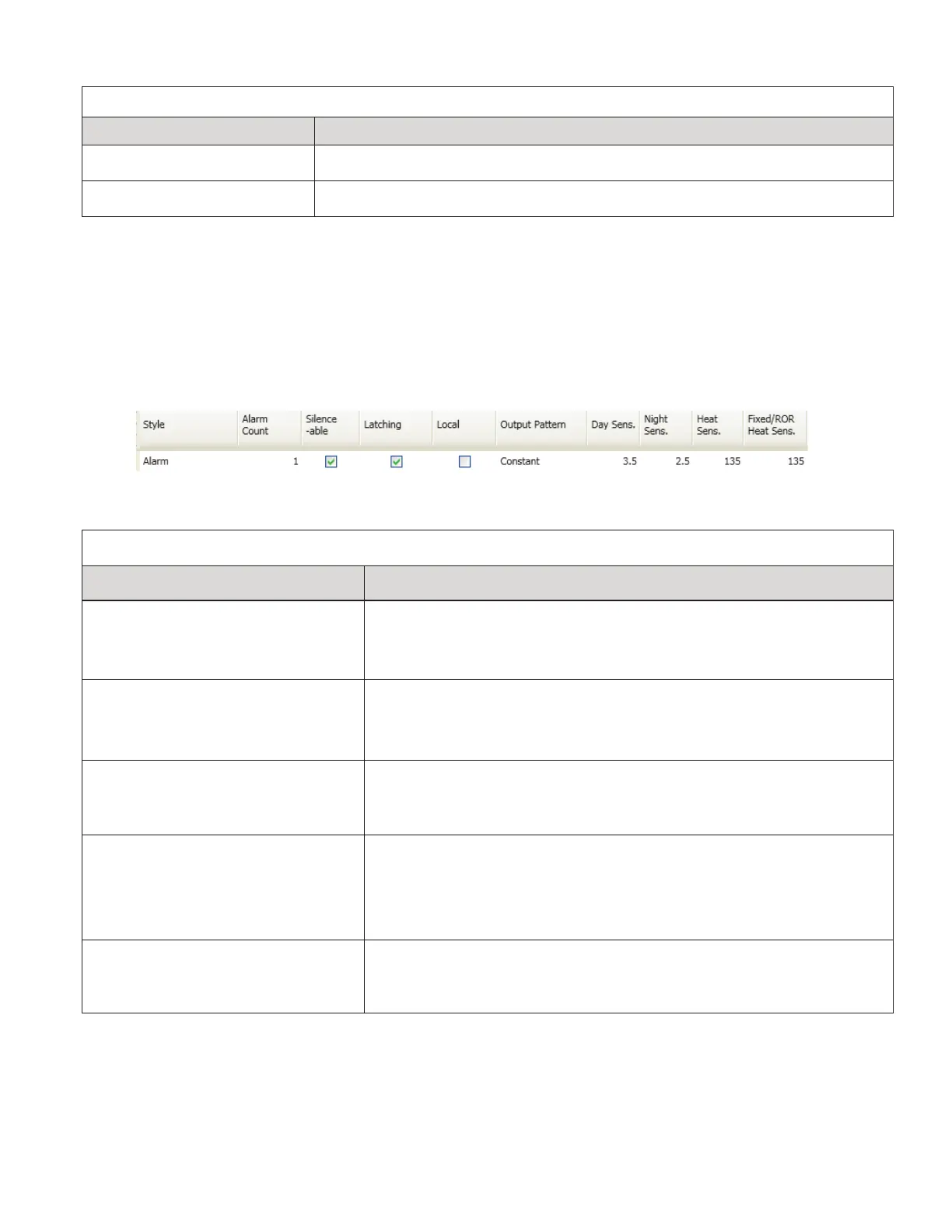
Example of Zone Attributes (Fields 1-10)Figure 85.

Zone AttributesTable 17:
Attribute Description
Zone Name
Default = Zone “x”
(where “x” is a sequential number)
•y
Note: Double-click in eld to modify zone name.
Alarm Count
Default = 1
•y

•y
Note: Double-click in eld to modify alarm count.
Silenceable / Non-Silenceable
Default = Silenceable
•y silenceable
SILENCE button.
Note: Click in selection box to remove “silenceable” setting.
Latching / Non-Latching
Default = Latching
•y (1) count zones only.
•y Reset.
•y
Note: Click in selection box to remove latching setting.
Local / Non-Local
Default = Non-Local
•y Report by Zone
•y
Note: Click in selection box to select local option.

Table of Contents

Related product manuals