POWER ELECTRONICS
SD700 – TOUCH-GRAPHIC DISPLAY
SMS SERVICE
49
3.3.4. Query Messages Configuration
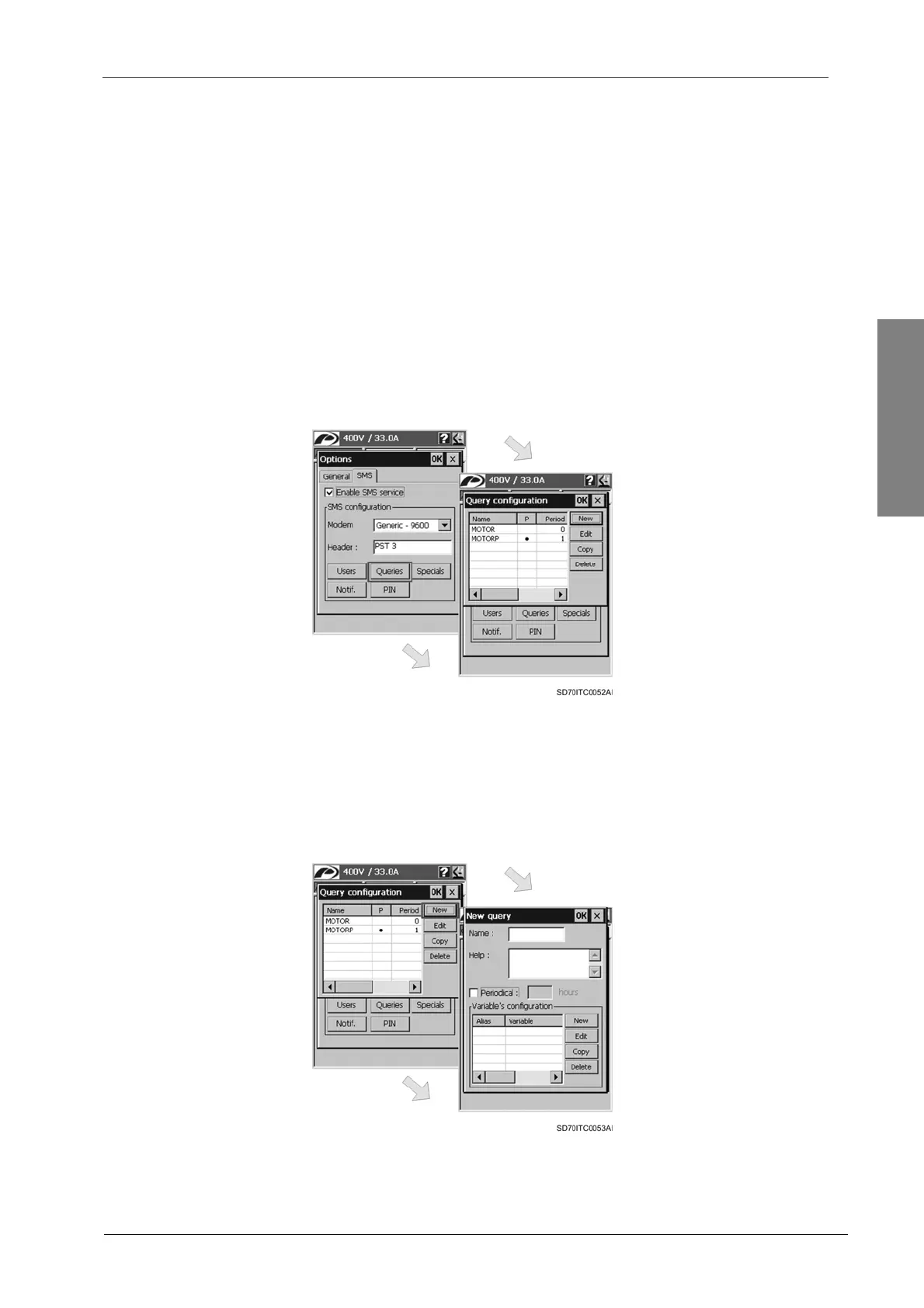
The ‘Query configuration’ dialogue will appear when the user taps on the ‘Queries’ button from the
main configuration dialogue for the SMS service.
This configuration dialogue allows the user to add new queries, edit, copy and delete existing
queries by means of the different buttons included in the dialogue itself. As well as the user can
manage the list of queries, he can also manage the variable list included for each query. Each
query includes a list of variables associated to it and the user can also add new variables, or edit,
copy and delete existing variables (like in queries).
In order to accept the query list configuration, the user should tap on ‘OK’ button. After this, the
dialogue is closed and the main configuration dialogue is shown again. To cancel the
configuration, tap on ‘X’ button and the changes will be discarded.
Note: To obtain further information, see section ‘3.1.1. Query Messages’.
Figure 3.9 ‘Query configuration’ dialogue window
New Query
The user accesses to the ‘New query’ configuration dialogue by tapping on ‘New’ button from the
‘Query configuration’ dialogue.
Figure 3.10 ‘New query’ configuration dialogue window


 To Next Page
 Loading...

