POWERVAR Security Plus UPS
33
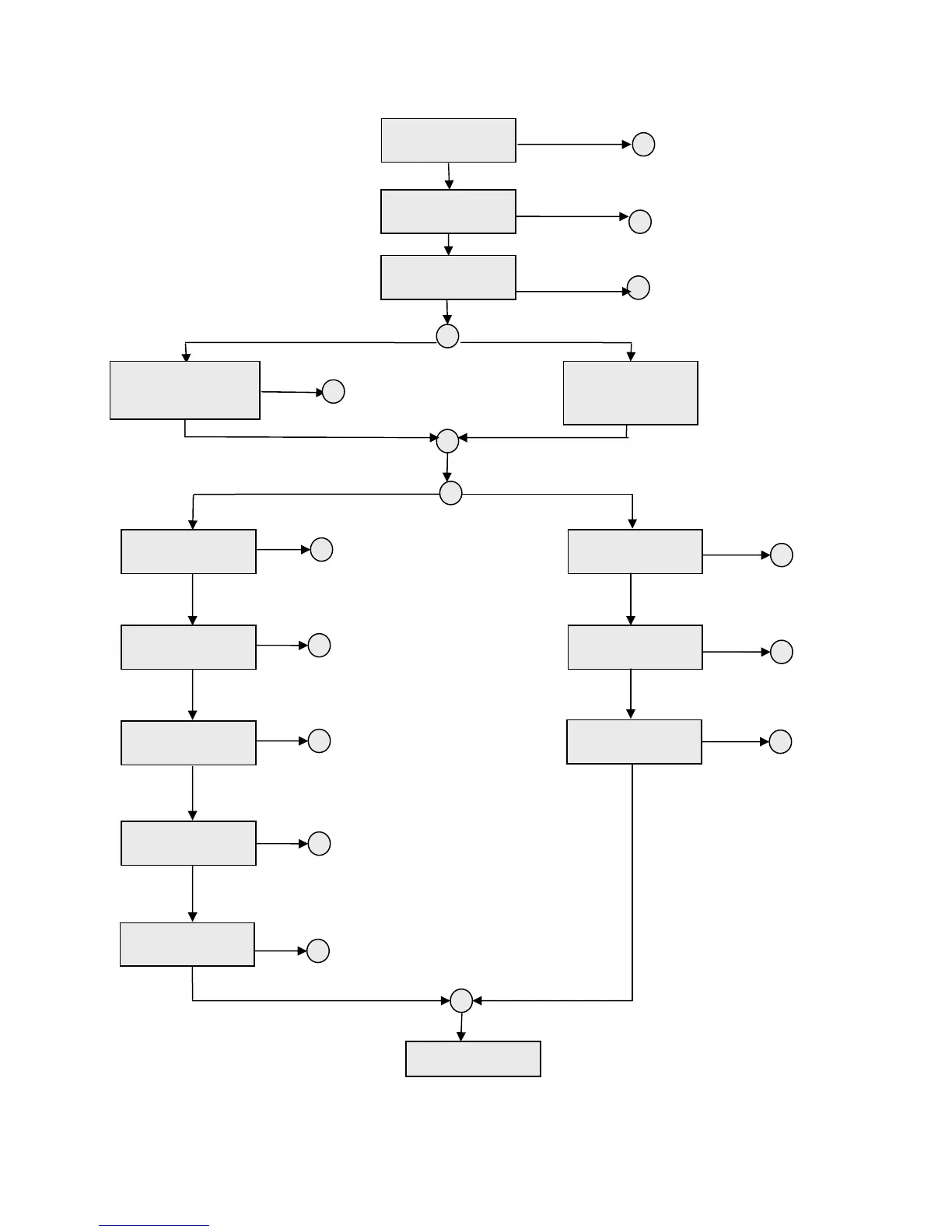
Figure 2.3 – Parameters Setting Menu
HV UNITS LV UNITS
GROUND FAULT
DISABLE
Press ‘OK’
ALARM SILENCE
YES?
Press ‘SELECT’
SYNC WINDOW
NARROW WINDOW
P
ess ‘SELECT’
SYNC WINDOW
WIDE WINDOW
Sets the inverter output
frequency tracking window.
The output frequency tracks
Press ‘OK’
Silences the audible alarm one
time. If the system changes state
then the audible alarm will
automatically return.
Press ‘OK’
Disables the input neutral to
ground check for systems without
a neutral (8,10,12 and 15 kVA
onl
.
Press ‘SELECT’
BACK TO TOP
Press ‘OK’
Press ‘OK’
Press ‘OK’
Press ‘OK’
Press ‘OK’
Press ‘OK’
Press ‘OK’
Press ‘OK’
Press ‘OK’
If the
SELECT’ button is
pushed and held for 3
seconds the parameter
setting menu can be
accessed.
Press ‘SELECT’
Press ‘SELECT’
Press ‘SELECT’
Press ‘SELECT’
Press ‘SELECT’
Press ‘SELECT’
Press ‘SELECT’
Press ‘SELECT’
The inverter will be shut down
and the output will turn off. AC
power will have to be cycled to
restart the system
Sets the inverter
output frequency
tracking window.
The output
frequency tracks
the input
frequency up to
± 3.0Hz.
Sets the inverter output voltage
to 240V. Sets the bypass
synchronization window to 216-
264V.
Sets the inverter output voltage
to 230V. Sets the bypass
synchronization window to 207-
253V.
Sets the inverter output voltage
to 220V. Sets the bypass
synchronization window to 198-
242V.
Sets the
inverter output voltage
to 208V. Sets the bypass
synchronization window to 187-
229V.
Sets the inverter output voltage
to 200V. Sets the bypass
synchronization window to 180-
220V.
Sets the inverter
output voltage to
120V. Sets the
bypass
synchronization
window to 108-
132V.
Sets the inverter
output voltage to
110V. Sets the
bypass
synchronization
window to 99-
121V.
Sets the inverter
output voltage to
100V. Sets the
bypass
synchronization
window to 90-
110V.
INVERTER OFF
YES?
SELECT OUTPUT
240VAC?
SELECT OUTPUT
230VAC?
SELECT OUTPUT
220VAC?
SELECT OUTPUT
208VAC?
SELECT OUTPUT
200VAC?
SELECT OUTPUT
120VAC?
SELECT OUTPUT
110VAC?
SELECT OUTPUT
100VAC?
Press ‘OK’
Caution: To save any changed settings the unit must be placed into Bypass
operation. This is done by pressing the “NORMAL/BYPASS” button. Wait 2 minutes
then press the “NORMAL/BYPASS” button again.



 To Next Page