Installation
37
Powerware
®
PrestigeSeriesInstallationand Operator’s ManualforIBM Applications (6000 VA)Uncontrolled Copy
5. Select the correct UPS output voltage according to the PPDM
model:
PPDM ModelNumber UPS VoltageSelectorSwitch Position*
L6-30R/IEC 320-C19 208: 120/208
208
L6-30R/5-15R 208: 120/208
IEC 309/IEC 320-C13 240: 240 Set to 220V for 220V PPDM output
Set to 230V for 230V PPDM output
Set to 240V for 240V PPDM output
L6-30R/5-15R 240: 240 Set to 200V for 100/200V PPDM output
Set to 220V for 110/220V PPDM output
Set to 230V for 115/230V PPDM output
Set to 240V for 120/240V PPDM output
*
The UPS output voltage should be set according to local mains voltage.
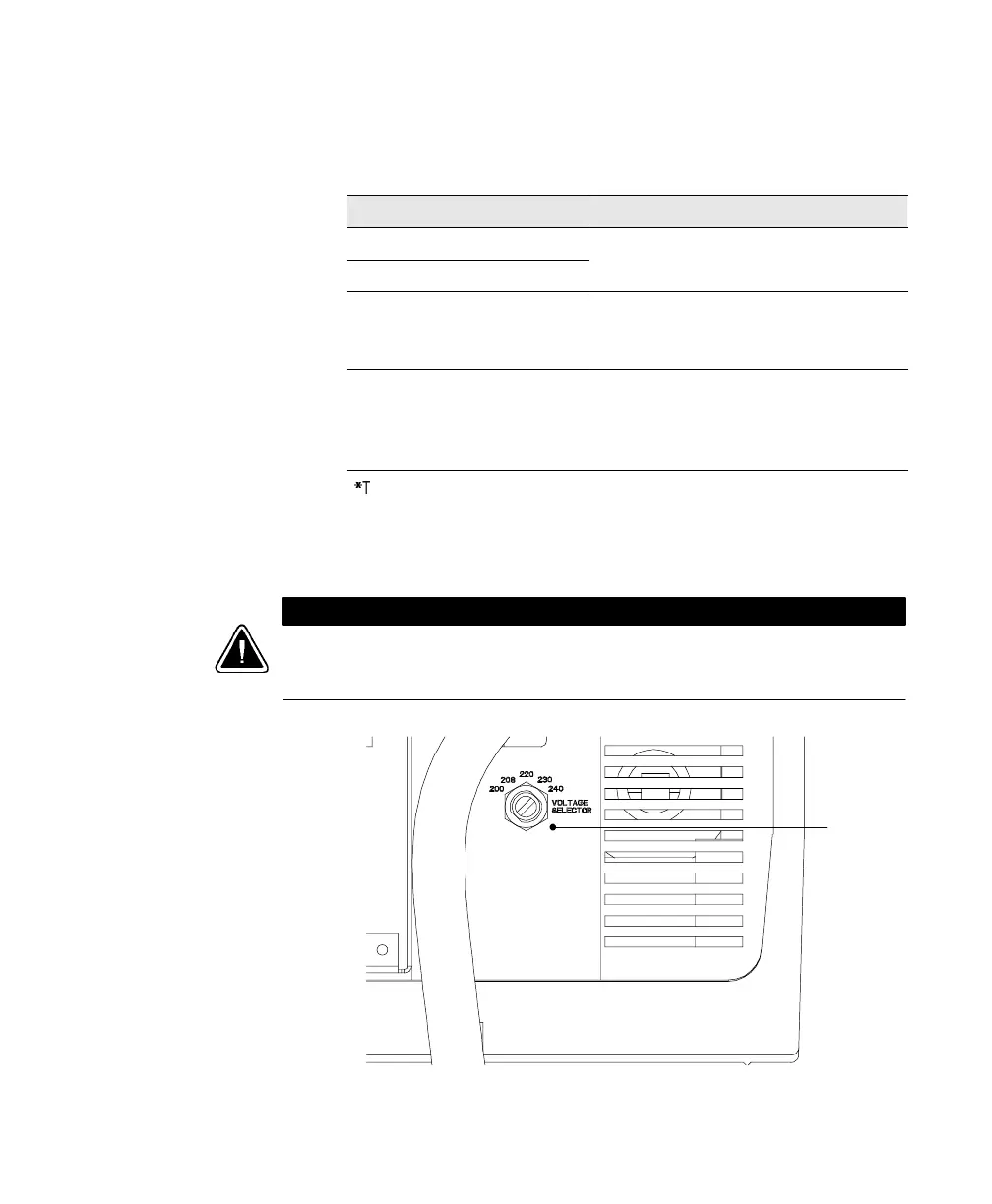
Using a screwdriver, turn the switch to the corresponding
position of the output voltage required (see Figure 10). The
output voltage is factory-set to 220V.
CAUTION
Donot turnthe VoltageSelectorswitch whilethe UPSisoperating(see“Changing the
OutputVoltage”on page49).Changingthe outputvoltagewhile the UPS isoperating
maycausean emergencypower-off.
Voltage
Selector
Switch
Figure 10. Voltage Selector Switch













 To Next Page