Sabre P ● Model PD603 Process Meter Instruction Manual
INSTALLATION
There is no need to remove the meter from its case to com-
plete the installation, wiring, and setup of the meter.
Unpacking
Remove the meter from box. Inspect the packaging and con-
tents for damage. Report damages, if any, to the carrier.
If any part is missing or the meter malfunctions, please contact
your supplier or the factory for assistance.
Panel Mounting
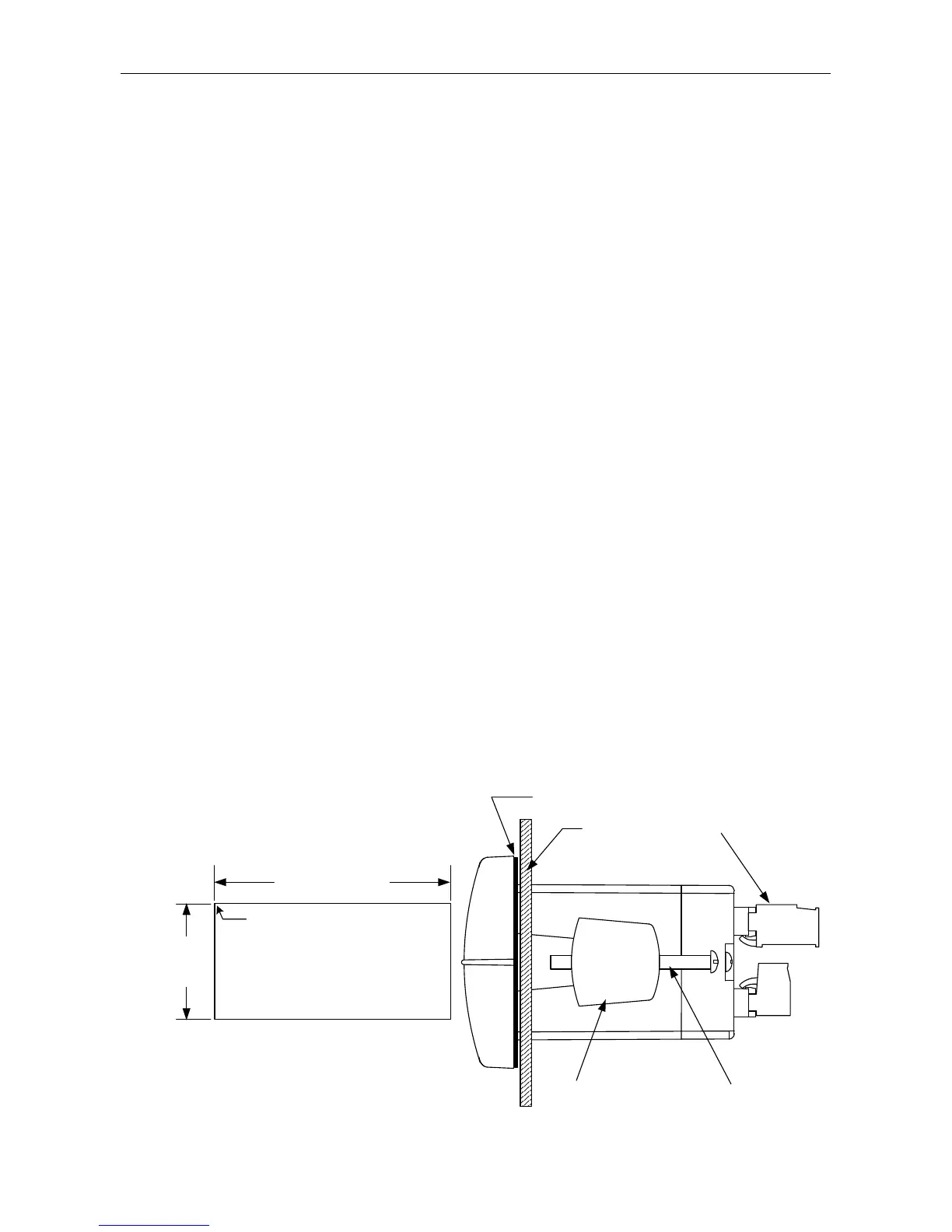
• Prepare a standard 1/8 DIN panel cutout – 3.622" x 1.772" (92 mm
x 45 mm). Refer to Mounting Dimensions, page 29 for more details.
• Clearance: allow at least 4" (102 mm) behind the panel for wiring.
• Panel thickness: 0.04" - 0.25" (1.0 mm - 6.4 mm).
Recommended minimum panel thickness to maintain Type 4X
rating: 0.06" (1.5 mm) steel panel, 0.16" (4.1 mm) plastic panel.
• Remove the two mounting brackets provided with the meter (back-off
the two screws so that there is ¼" (6.4 mm) or less through the
bracket. Slide the bracket toward the front of the case and remove).
• Insert meter into the panel cutout.
• Install mounting brackets and tighten the screws against the panel.
To achieve a proper seal, tighten the mounting bracket screws
evenly until meter is snug to the panel along its short side. DO NOT
OVER TIGHTEN, as the rear of the panel may be damaged.
Panel
Gasket
Mounting
Bracket
Mounting
Screw
Removable
Connectors
3.622" (92mm)
1.772"
(45mm)
Panel Cutout
to DIN 43700
Square Corners to 0.060"
(1.5mm) Max Radius
A
B
Tolerances:
A: +0.032 (+0.8mm)
-0.000 (-0.0mm)
B: +0.024 (+0.6mm)
-0.000 (-0.0mm)
10
Figure 1. Panel Cutout and Mounting



 To Next Page