Sabre P ● Model PD603 Process Meter Instruction Manual
Maximum/Minimum Readings
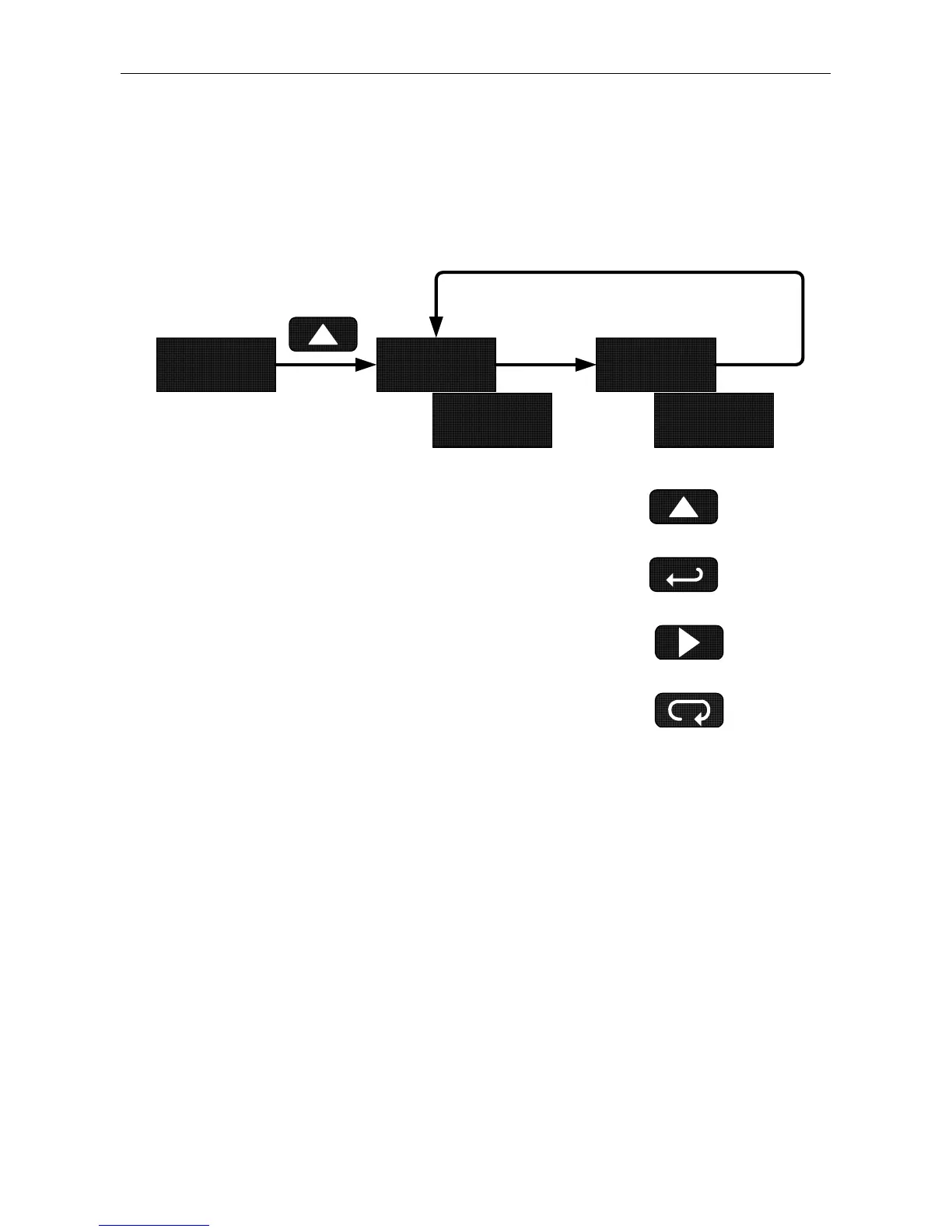
The main function of the front panel buttons during operation is to dis-
play the maximum and minimum readings reached by the process.
9603 Hi lo
Actual
Reading
9859 602
Press Enter to Hold Max/Min
Press Up to Display and
Toggle Max/Min
Press Right to Reset Max/Min
Press Menu to Exit Max/Min
1. Press Up arrow/Max button to display maximum reading since the
last reset/power-up.
2. Press Up arrow/Max again to display the minimum reading since
the last reset/power-up.
3. Press Enter/Ack to hold Max/Min display reading, the meter will
continue to track new Max/Min readings.
4. If Enter/Ack is not pressed, the Max/Min display reading will time
out after ten seconds and the meter will return to display the actual
reading.
5. Press Right arrow/Reset button to reset Max/Min while reading is
being displayed. Max/Min display readings are reset to actual
reading.
28



 To Next Page