10
Instrument List
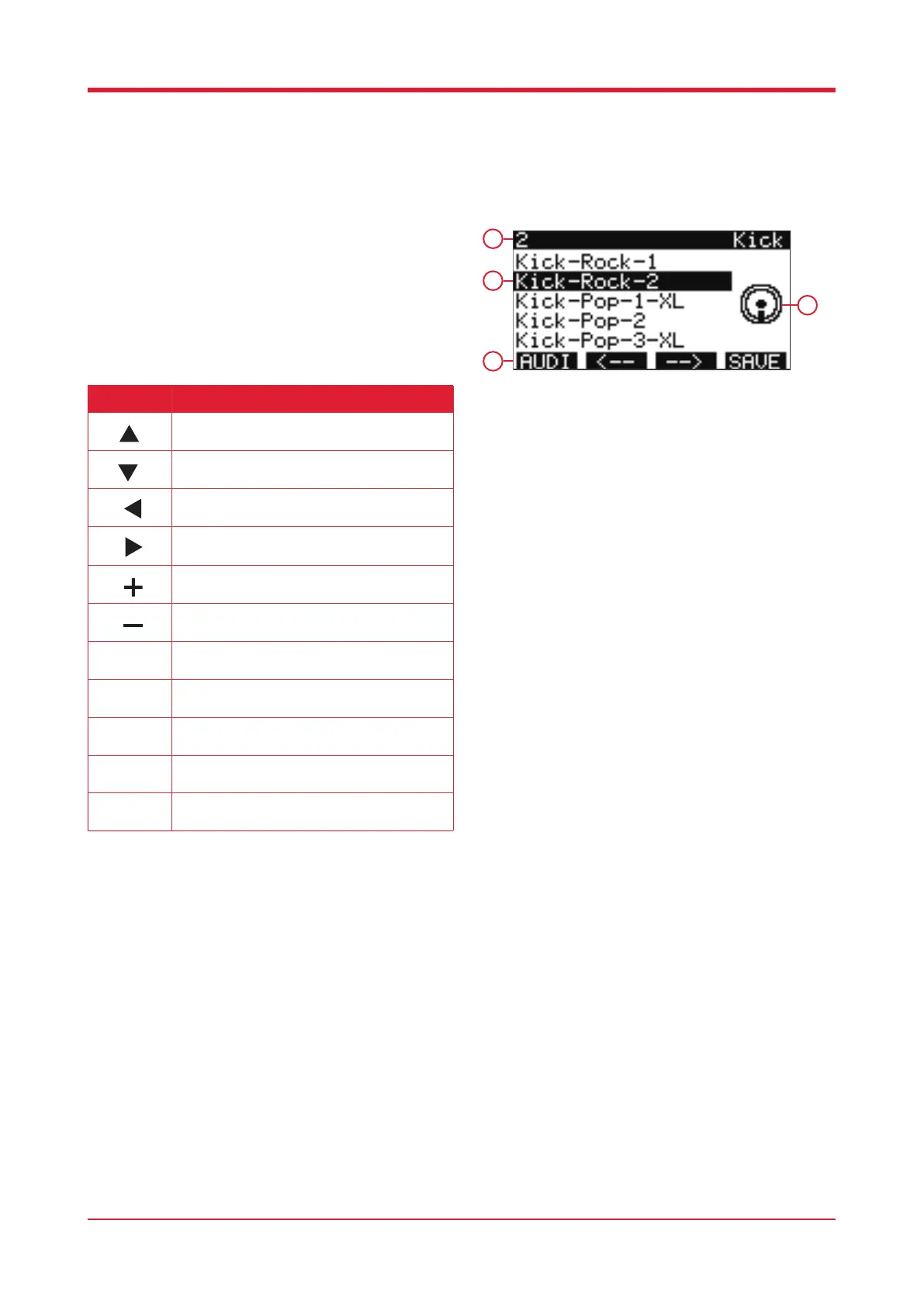
When in the drum kit interface, press [F2] to enter
the instrument settings.
1. Instrument number
2. Preset name
3. Function bar
4. Pad currently selected
Button Function
Press this button to access the previous
instrument.
Press this button to access the following
instrument.
Press this button to access the previous pad.
Press this button to access the following pad.
Press this button to access the previous
instrument.
Press this button to access the following
instrument.
Press this button to listen to the current
instrument.
Press this button to move to the previous pad’s
instrument sound.
Press this button to move to the next pad’s
instrument sound.
Press this button to exit the current instrument
and save any changes.
Instrument select.
1
2
3
4



 To Next Page