Recording a Performance
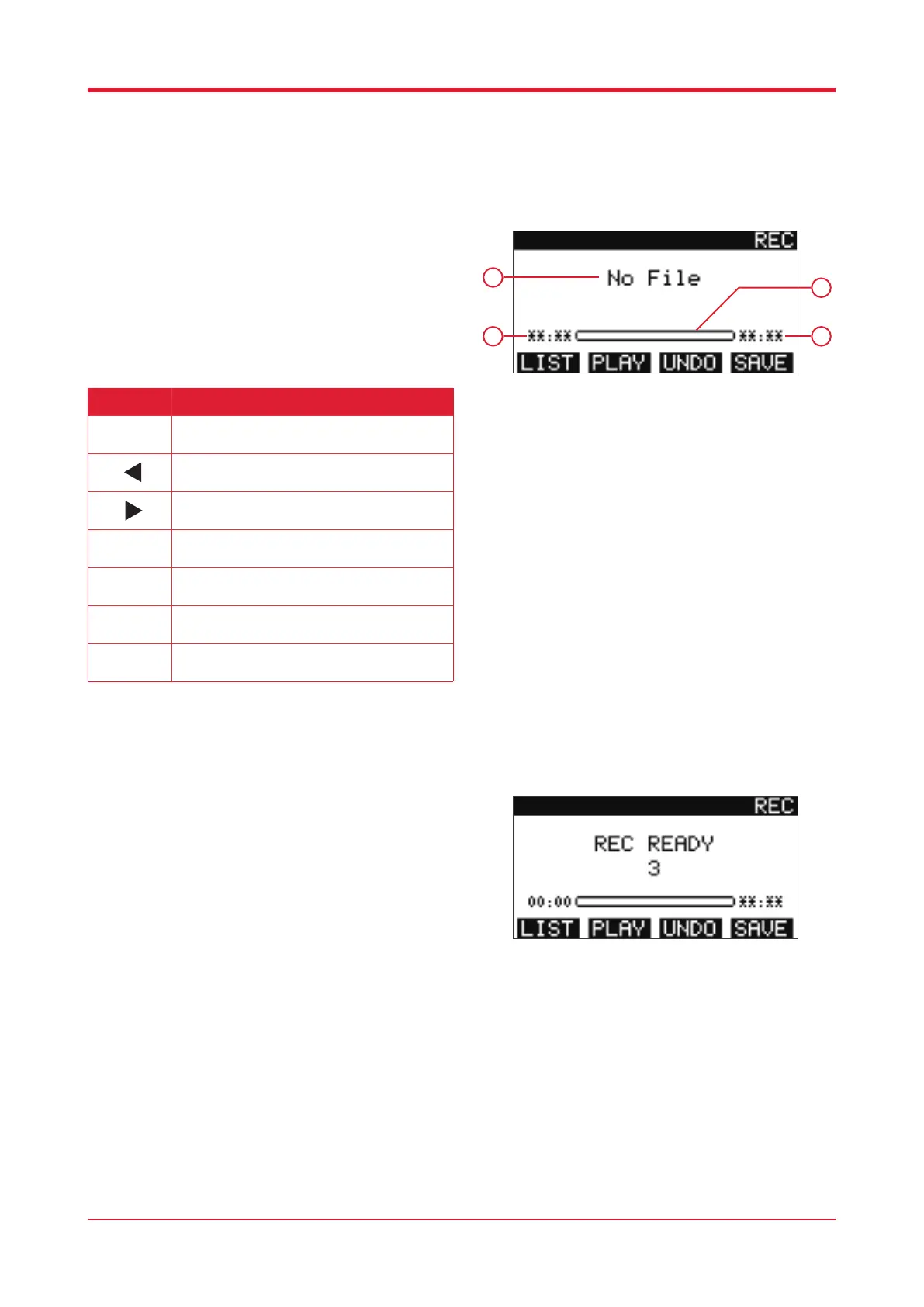
Press [REC] to enter the recording function.
1. File name
2. Progress bar
3. Playback progress
4. Song duration
Recording
After pressing [REC] you will be given three seconds
to prepare before the recording begins.
14
3
4
Button Function
Press this button to start/stop recording.
Press this button to access the previous
recording.
Press this button to access the following
recording.
Press this button to open the recorded le.
Press this button to play/pause the recorded
le.
Press this button to abort the current recording.
Press this button to save the recording.
1
2
Rec



 To Next Page