Song Mode
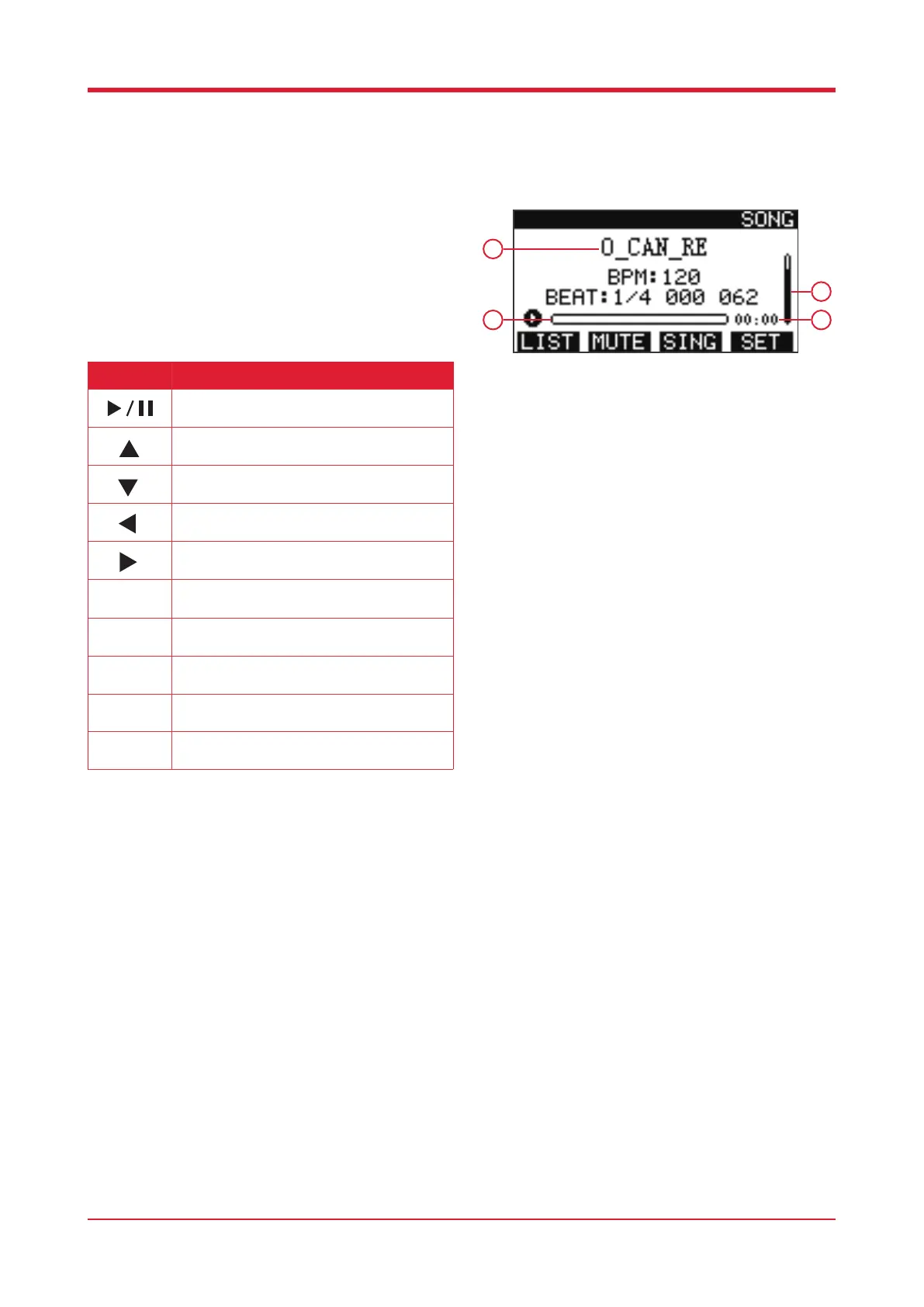
Press [SONG] to enter song mode.
1. Name of current song
2. Progress bar
3. Volume indicator
4. Song length
Song List
When in song mode, press [F4] to load the list of
songs available.
Upon selecting your song press [RETURN] to go
back to the previous screen.
12
Button Function
Press this button to play/stop the song.
Press this button to play the previous song.
Press this button to play the next song.
Press this button to increase the volume.
Press this button to decrease the volume.
Press this button to access the Song List.
Press this button to enter the mute list to isolate
/ remove elements of the song.
Press this button to determine playback mode.
Press this button to enter the song setting
interface.
Edit playback process of song.
1
2
3
4



 To Next Page