Hi-Hat
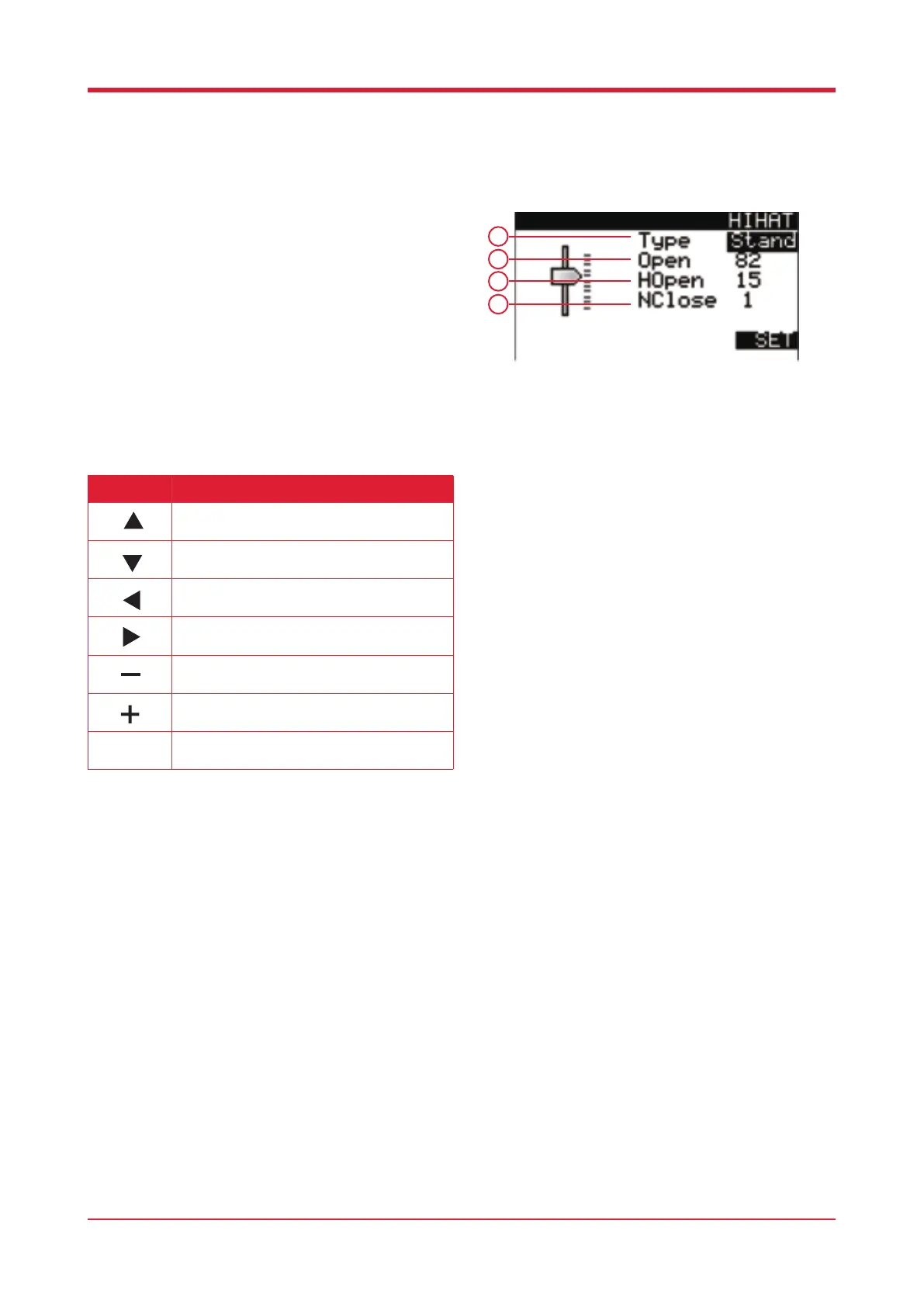
When in utilities press [F3] to enter hi-hat settings.
This grants you access to all hi-hat parameters.
1. Alternate between using the physical hi-hat and
the hi-hat pedal (PP1X only).
2. Use this to adjust the virtual height / sound of the
open hi-hat.
3. Use this to adjust the virtual height / sound of the
half open hi-hat.
4. Use this to adjust the virtual height / sound of the
closed hi-hat.
22
Button Function
Press this button to select the previous
parameter.
Press this button to select the following
parameter.
Press this button to decrease the virtual height
setting.
Press this button to increase the virtual height
setting.
Press this button to increase the virtual height
setting.
Press this button to increase the virtual height
setting.
Press this button to reset any parameter
changes to default.
F4
1
2
3
3



 To Next Page