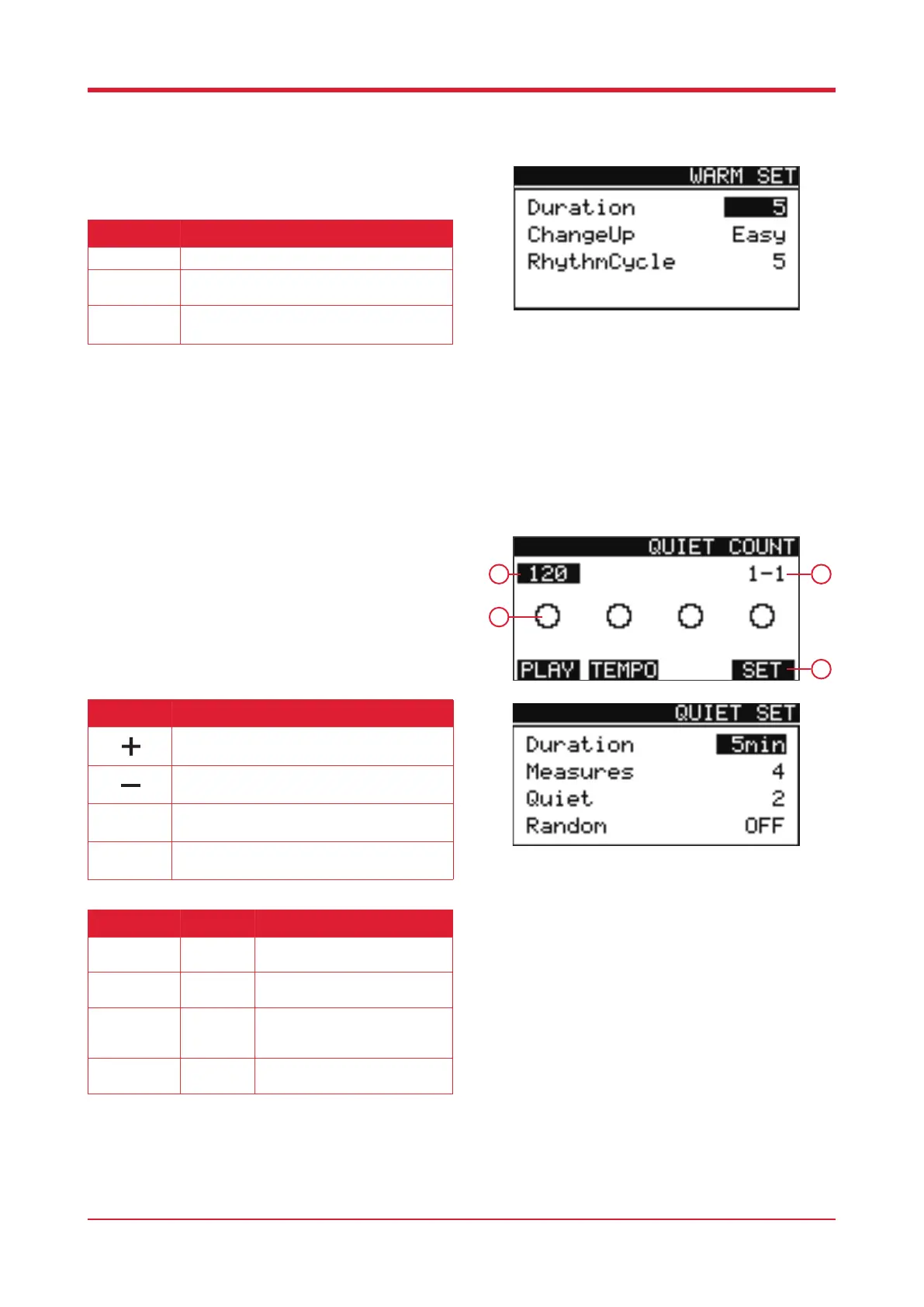
Warm Up Settings
When in the warm up mode, press [F4] to enter the
settings.
Quiet Mode
When in coach mode, press [F2] to enter quiet
mode.
1. Current BPM
2. Beat display
3. Remaining exercises
4. Function
24
1
3
Parameter Value Description
Duration
1 - 30 Adjust this to establish the
duration of the warm up.
Measures
4, 8, 16 Adjust this to establish the
diculty of the warm up.
Quiet
1, 2 Adjust this to establish the
number of quiet passages within
a measure.
Random
On / O Engage this to randomise the
number of quiet passages.
2
4
Parameter Description
Duration
Set warm up duration.
Change Up
Set warm up practice diculty, rhythm change
template.
Rhythm
Cycle
Adjust the sensitivity depending on whether
you’re using a real hi-hat or a hi-hat pedal.
Button Function
Press this button to increase the BPM.
Press this button to decrease the BPM.
Press this button to start/stop practice.
Press this button to enter the warm up settings.
F1
F4



 To Next Page