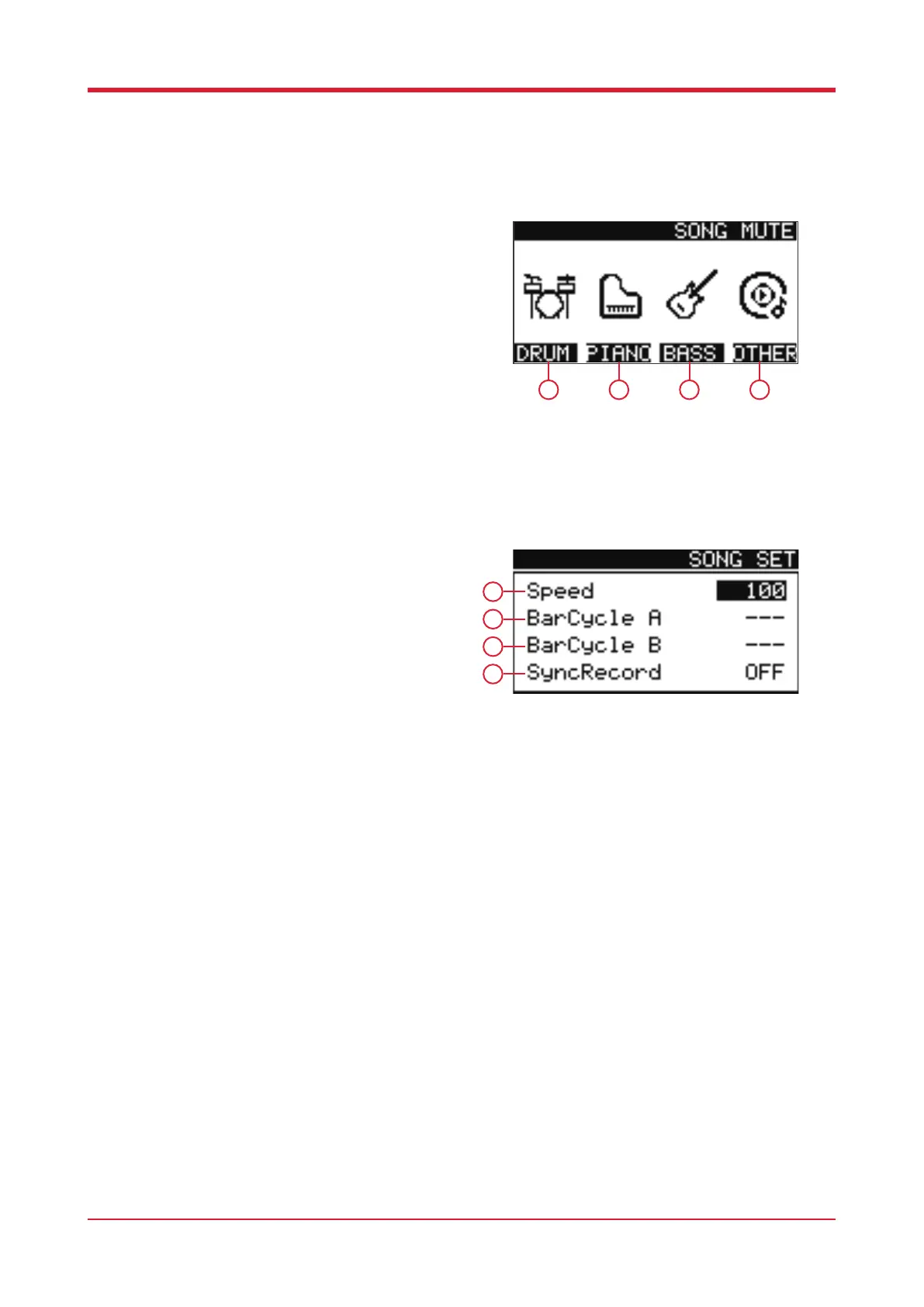
Mute List
When in song mode, press [F2] to load the mute
screen.
1. F1
Press this button to mute/unmute the drums.
2. F2
Press this button to mute/unmute the piano.
3. F3
Press this button to mute/unmute the bass.
4. F4
Press this button to mute/unmute other parts.
Song Settings
When in song mode, press [F4] to enter song
settings.
1. Adjust this function to determine the playback
speed of the in-built songs.
2. Adjust this function to determine the start of a
loop for an in-built song.
3. Adjust this function to determine the end of a
loop for an in-built song.
4. Engage this function to record whilst performing
the current song.
13
1
2
3
4
1 2 3 4



 To Next Page