Utility Settings
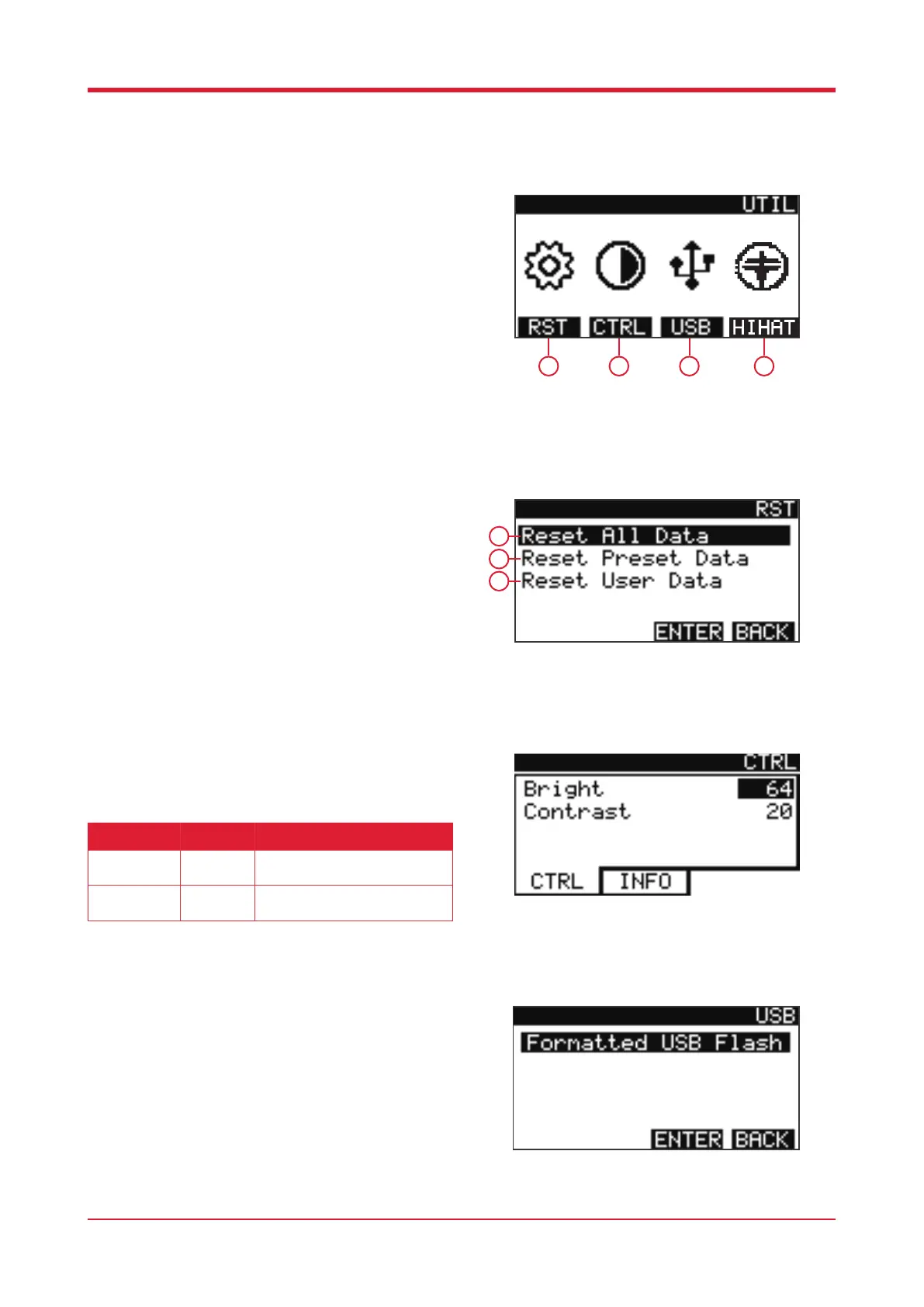
When in settings, press [F4] to enter utilities.
1. Press this button to reset the PowerPlay/X drum
kit.
2. Press this button to access the display/control
settings.
3. Press this button to access USB settings.
4. Press this button to access hi-hat settings.
System Reset
When In utilities, press [F1] to access system reset
settings. Here you will be presented with three
options.
1. Reset all data
2. Reset preset data
3. Reset user data
Display / Control
When in utilities, press [F2] to access display/
control settings.
USB
When in utilities, press [F3] to USB settings. This
will allow you to format the USB card connected to
the PowerPlay/X.
21
1 2 3 4
1
2
3
Parameter Value Description
Bright
10 - 100 Increase/decrease the brightness
value.
Contrast
20 - 40 Increase/decrease the contrast
value.



 To Next Page