11
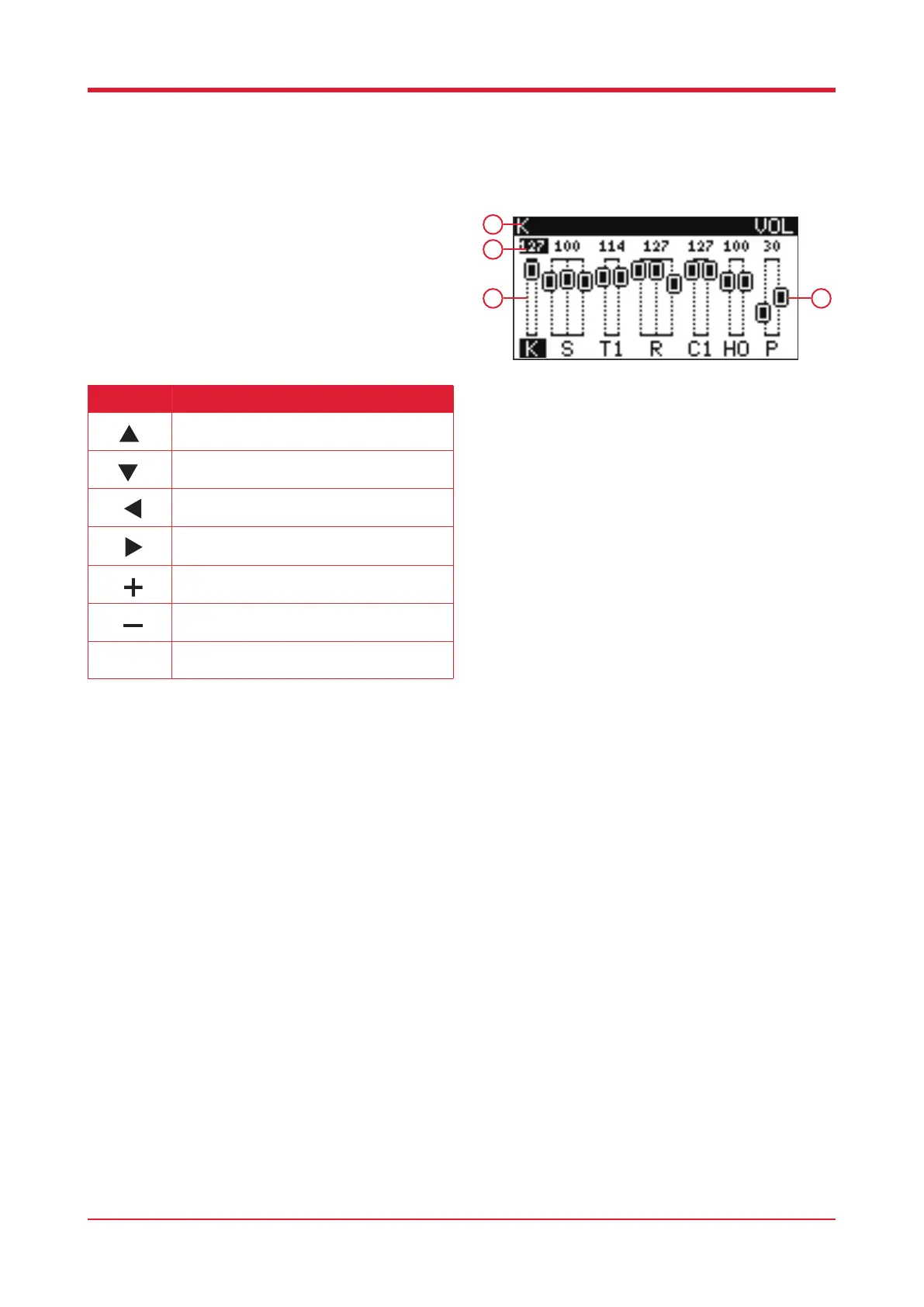
Volume Editor
When on the home screen, press [F3] to adjust the
volume of each pad.
1. Current pad
2. Volume
3. Volume bar
4. Volume faders
Please note: You can also select a pad to edit the
volume by striking it.
Button Function
Press this button to access the previous pad.
Press this button to access the following pad.
Press this button to increase the volume.
Press this button to decrease the volume.
Press this button to increase the volume.
Press this button to decrease the volume.
Volume adjust.
1
3 4
2



 To Next Page