Customising a Kit
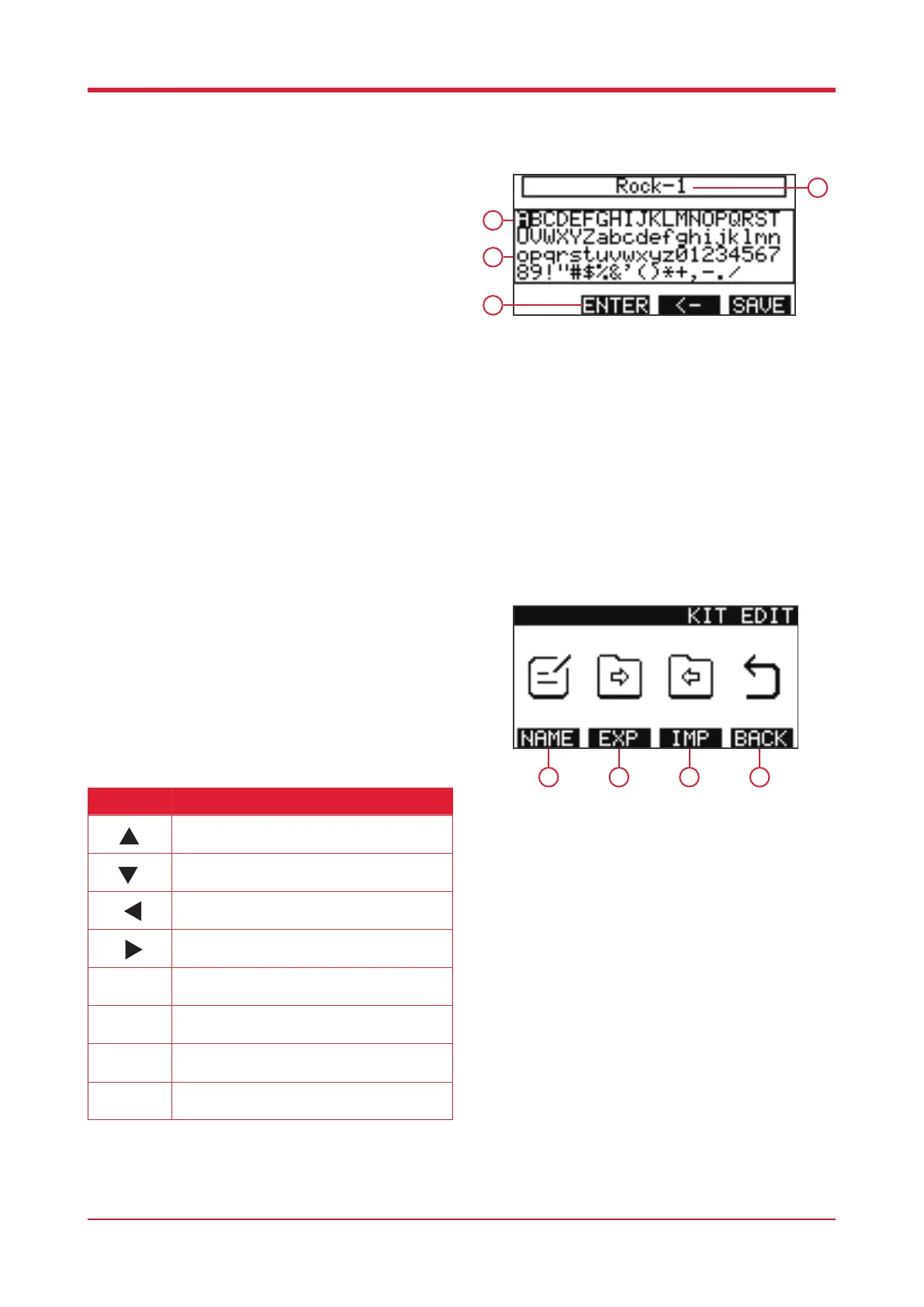
When in the drum kit interface press [F4] to enter
the kit editing interface.
1. [F1]
Press this button to rename the current kit.
2. [F2]
When a USB card is inserted press this button to
export the kit.
3. [F3]
When a USB card is inserted press this button to
import previously created kits.
4. [F4]
Press this button to return to the home screen.
Naming a Kit
When in the drum kit interface press [F3] to create a
new kit. In order to name this kit press [F1].
1. Letter currently selected
2. Characters
3. Current kit name
4. Function bar
Button Function
Press this button to access the previous
character.
Press this button to access the following
character.
Press this button to access the line above.
Press this button to access the line below.
Press this button to select the character you
desire.
Press this button to delete the last character.
Press this button to save the current kit name.
Kit select.
9
1
2
3
4
1 2 3 4



 To Next Page