8
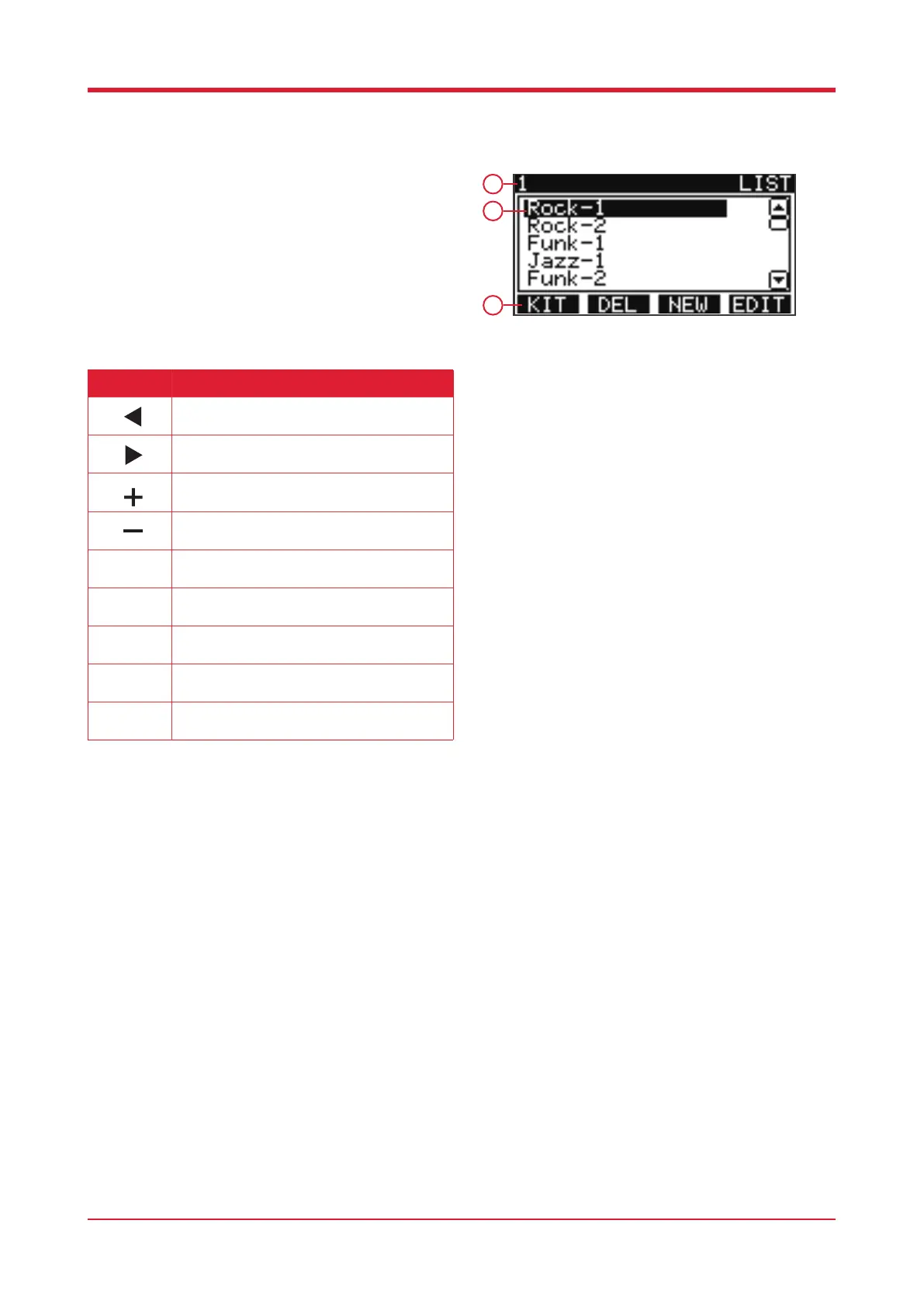
Drum Kit List
When on the main home page press [F1] to enter
the drum kit list.
1. Current drum kit number
2. Drum kit name
3. Function bar
Button Function
Press this button to access the previous kit.
Press this button to access the following kit.
Press this button to access the previous kit.
Press this button to access the following kit.
Press this button to switch between the preset
kits and user kits.
Press this button to delete the current kit.
Please note, preset kits cannot be deleted.
Press this button to enter the edit function and
adjust the volume of the pad.
Press this button to create a new kit. Please
note, the current kit will be copied.
Kit select.
F4
F3
1
2
3



 To Next Page