7
Main Screen
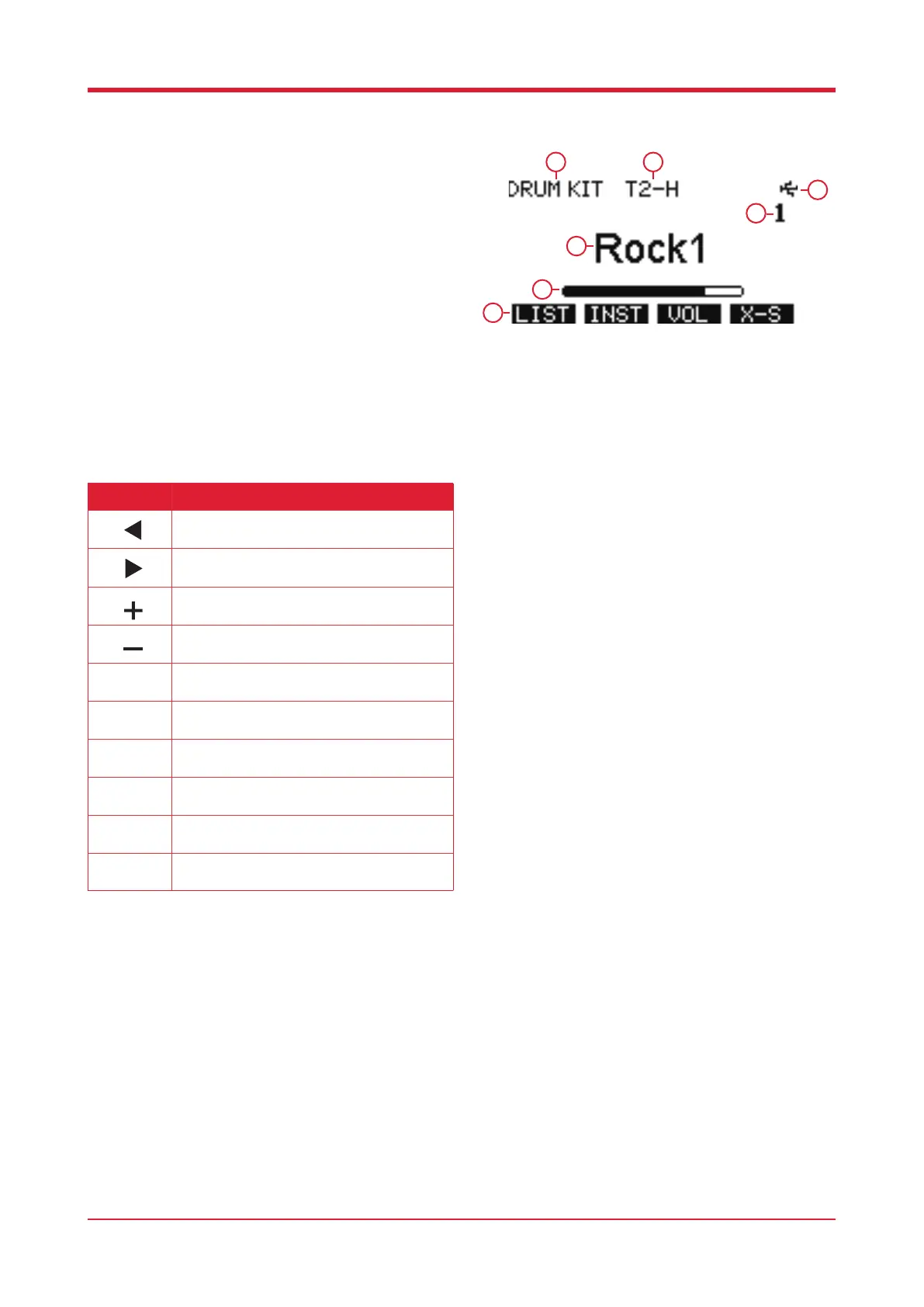
Press [HOME] to enter the main screen.
1. Kit type
2. Current hitting pad
3. Kit number
4. Kit name
5. Velocity indicator
6. Function bar
7. USB icon
1 2
3
4
5
7
6
Button Function
Press this button to access the previous kit.
Press this button to access the following kit.
Press this button to access the previous kit.
Press this button to access the following kit.
Press this button to enter the Drum Kit List, see
p8 for more details.
Press this button to enter the Instrument List,
see p10 for more details.
Press this button to enter the volume editor, see
p11 for more details.
Press this button to switch o X-Stick. Please
note X-S means on, OFF means o.
Press this button to switch between the preset
kit and user kit.
Kit select.



 To Next Page