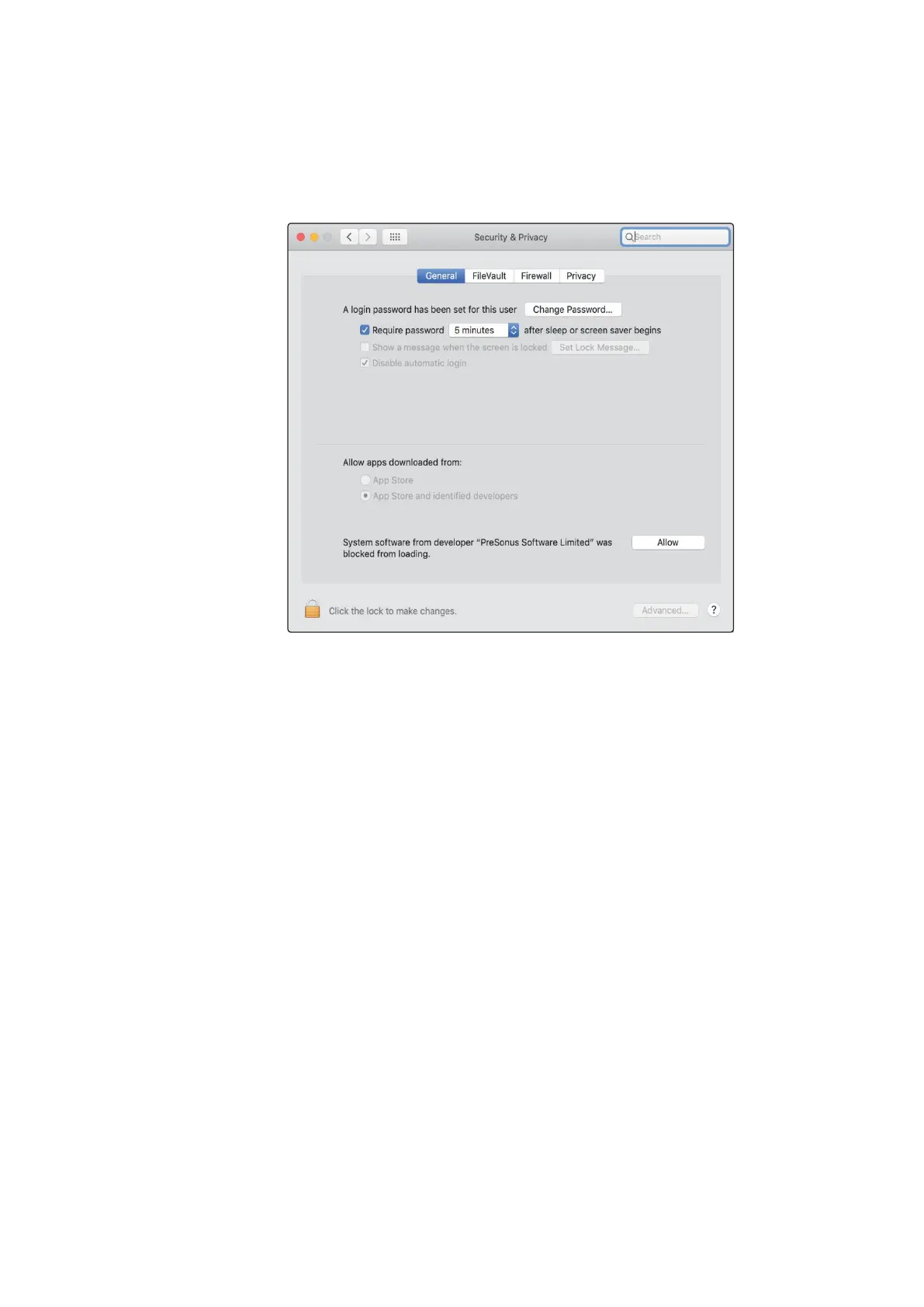
Open System Preferences and click Security & Privacy to “Allow” the installation.
打开系统优先,点击 “Security” & “Privacy” ,"Allow"允许安装。
If this message does not appear in Security & Privacy, restart the computer.
如果该信息没有出现在
“Security” & “Privacy”
中,请重新启动计算机。
Note:
If Universal Control has already been installed and Quantum is not syncing,
run the uninstaller and reinstall the latest version of Universal Control to install the
driver.
注意:如果已经安装了
Universal Control
,而
Quantum
没有同步,请运行卸载程
序并重新安装最新版本的
Universal Control
来安装驱动程序。



 To Next Page