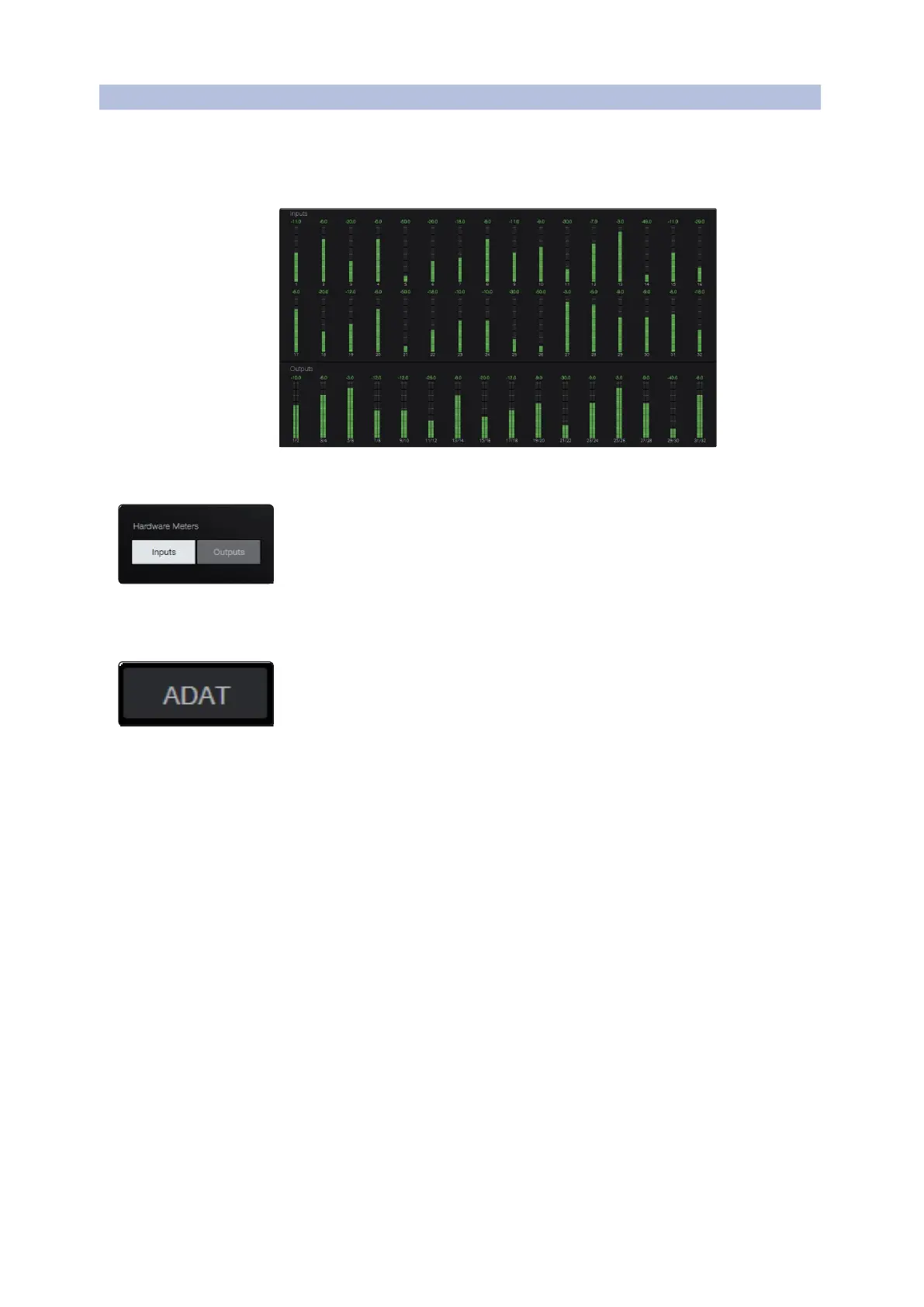
When you first launch UC Surface, you will be able to view the input metering for all 32
analog inputs and outputs:
当你第一次启动
UC Surface
时,可以查看所有
32
个模拟输入和输出的输入计量。
Front Panel Metering Toggle
By default, the 32 LEDs on the front panelof your Quantum 4848 display the signallevel for
your 32 analog inputs. From UC Surface, you can toggle them to display the signal from the
32 analog outputs instead.
默认情况下,Quantum 4848 前面板上的32个 LED灯显示的是32个模拟输入的信号电
平。在UC表面,你可以切换它们来显示32个模拟输出的信号。
ADAT Inputs
When a DigiMax DP88 is connected to the ADAT Input and Output on your Quantum 4848,
you will be presented with ADAT controls, allowing you to remote controlyour DigiMax
DP88’s preamps, direct line input, and phantom power. To view these controls, click on the
ADAT button in the upper right corner of the UC Surface window.
当 DigiMax DP88 连接到Quantum 4848的 ADAT 输入和输出时,你会看到 ADAT 控
制,允许你远程控制DigiMax DP88的前置放大器、直接线路输入和幻象电源。要
查看这些控制,请点击
UC
表面窗口右上角的
ADAT
按钮。



 To Next Page