Studio One Profesional Quick Start
Creating a New Song
Quantum 4848
Owner’sManual
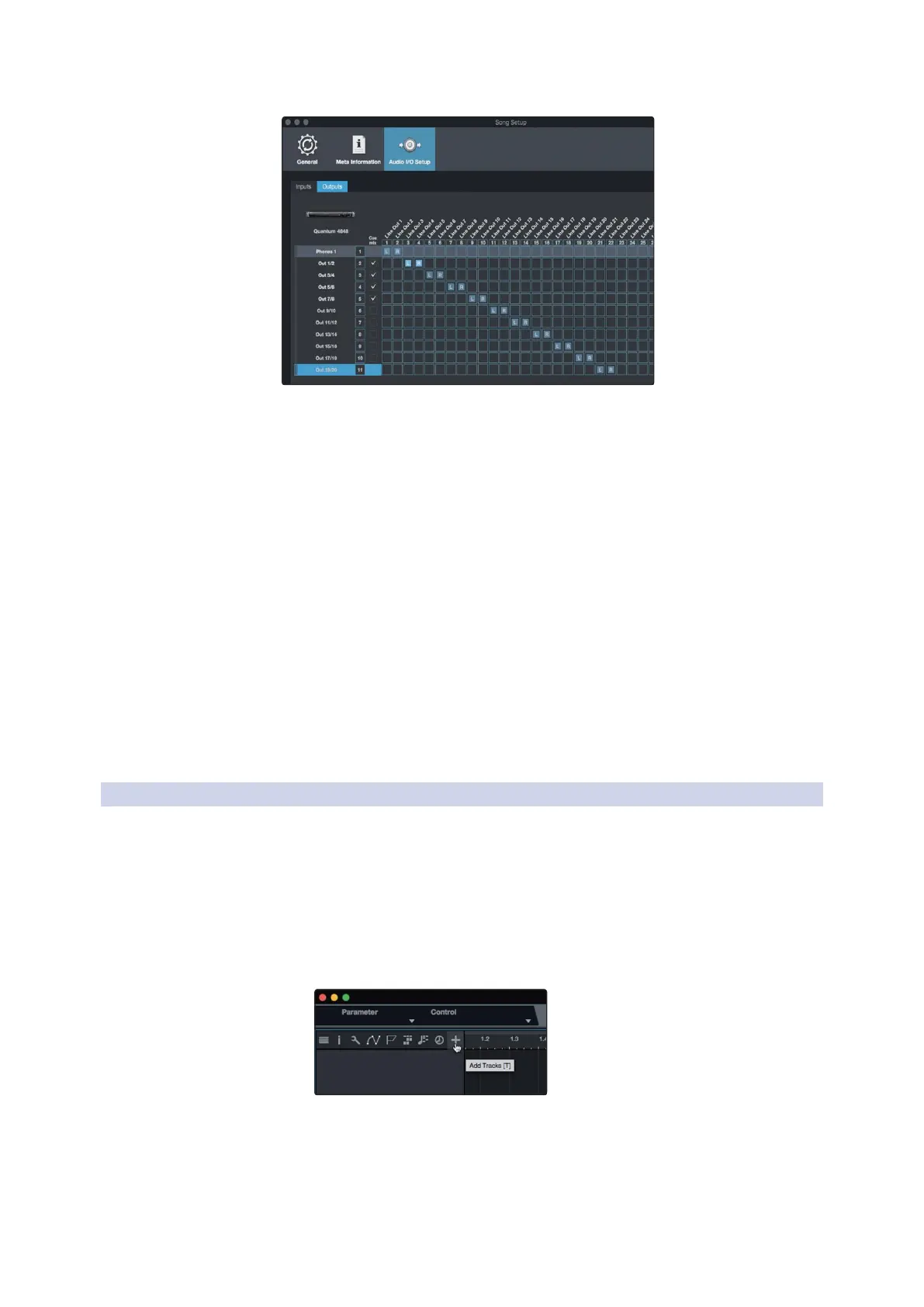
Power User Tip: If you would like this I/O configuration to be the same
every time you open Studio One, click the Make Default button.
用户提示:如果你希望每次打开
Studio One
时,这个
I/O
配置都是一样的,
请点击
"Make Default"
按钮。
Studio One allows you to create monitor mixes right from the console.
To enable this function, you must designate at least one output pair
to be a Cue Mix output. Click on the Cue Mix box next to any output
pair you’d like to use as a monitor mix output to enable this feature.
Studio One 允许你直接从控制台创建监听混音。要启用这个功能,
你必须指定至少一个输出对组为Cue Mix 输出。点击你想用作监
听混音输出的任何输出对组旁边的 ”Cue Mix box”,以启用这一项
功能。
For more information, see Section 6.4.
更多信息,
请见
6.4
部分
6.3.2
Creating Audio and MIDI Tracks 创建音频和MIDI音轨
1.
In the upper left corner of the Arrange window, you will notice
several buttons. The button furthest to the right is the Add
Tracks button. Click on this button to open the Add Tracks
window.
在编曲窗口的左上角,你会注意到几个按钮。最靠右的按钮
是 "Add Tracks"按钮。点击这个按钮,打开 "Add Tracks"窗
口。



 To Next Page