Studio One Profesional Quick Start
Creating a New Song
Quantum 4848
Owner’sManual
3.
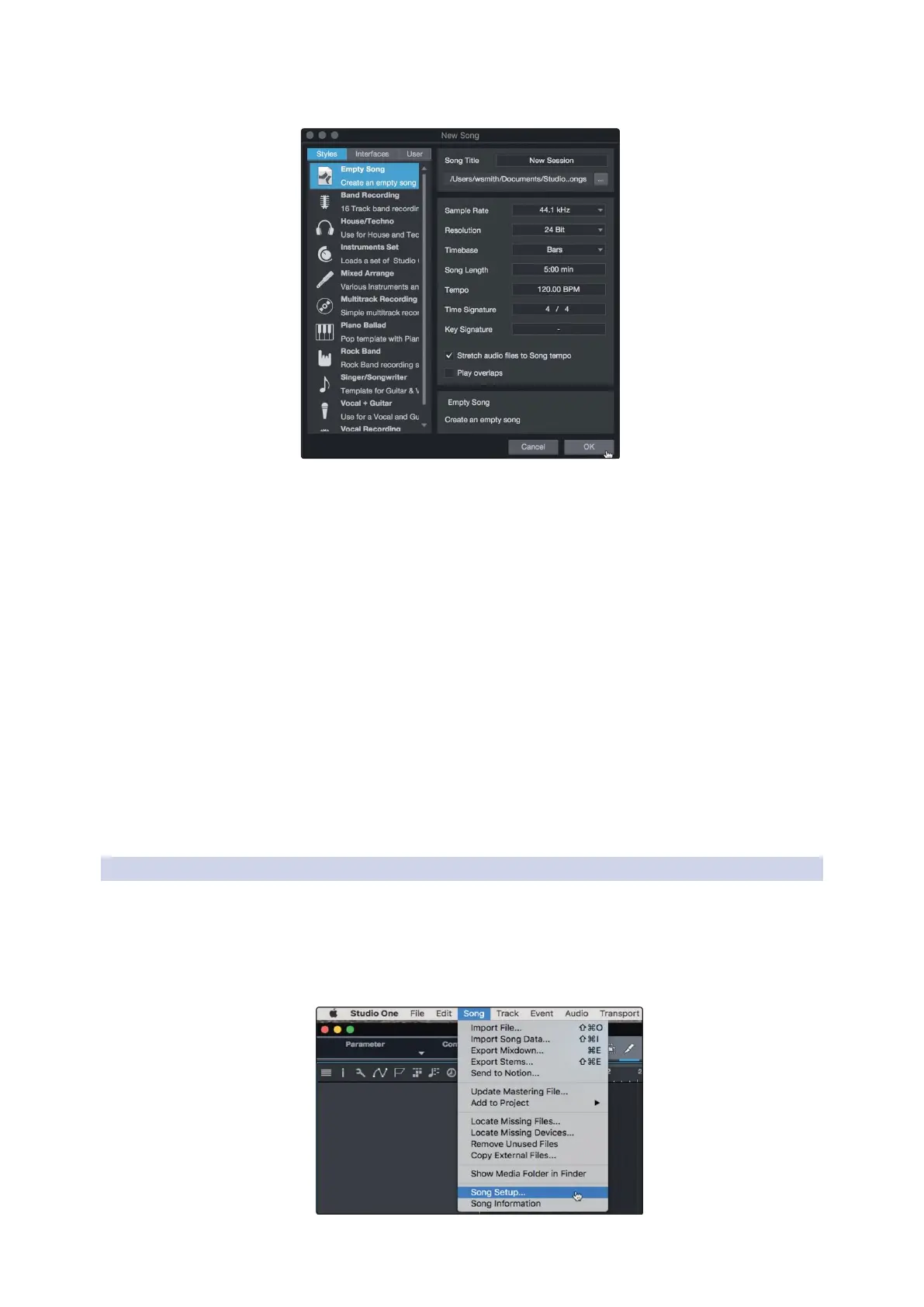
Select Empty Song from the Templates list. At this point, you should give
your Song a name and select your preferred sample rate and bit depth
for recording and playback. You can also set the length of your Song and
the type of time format you would like the timeline to follow (notation
bars, seconds, samples, or frames). Click the OK button when you are
finished.
从模板列表中选择
” Empty Song”
。在这一点上,你应该给歌曲起个
名字,并选择你喜欢的采样率和比特深度来进行录音和播放。你还
可以设置歌曲的长度和你希望时间线遵循的时间格式类型(记号
条、秒、样本或帧)。完成后,点击 "OK" 确认按钮。
Power User Tip: If you plan to import loops into your Song, make sure that the
Stretch Audio Files to Song Tempo option is selected. This will automatically import
loops at the correct BPM.
用户提示:如果你打算将循环播放导入你的歌曲,请确保选择
"
将
Stretch
Audio Files to Song Tempo"
选项。这将自动以正确的
BPM
导入循环。
6.3.1
Configuring Your I/O 配置你的 I/O
1.
Click on Song | Song Setup to set your sample rate
and resolution and configure your audio I/O.
点击歌曲
|
歌曲设置,设置你的采样率和分辨率,
配置你的音频
I/O
。



 To Next Page