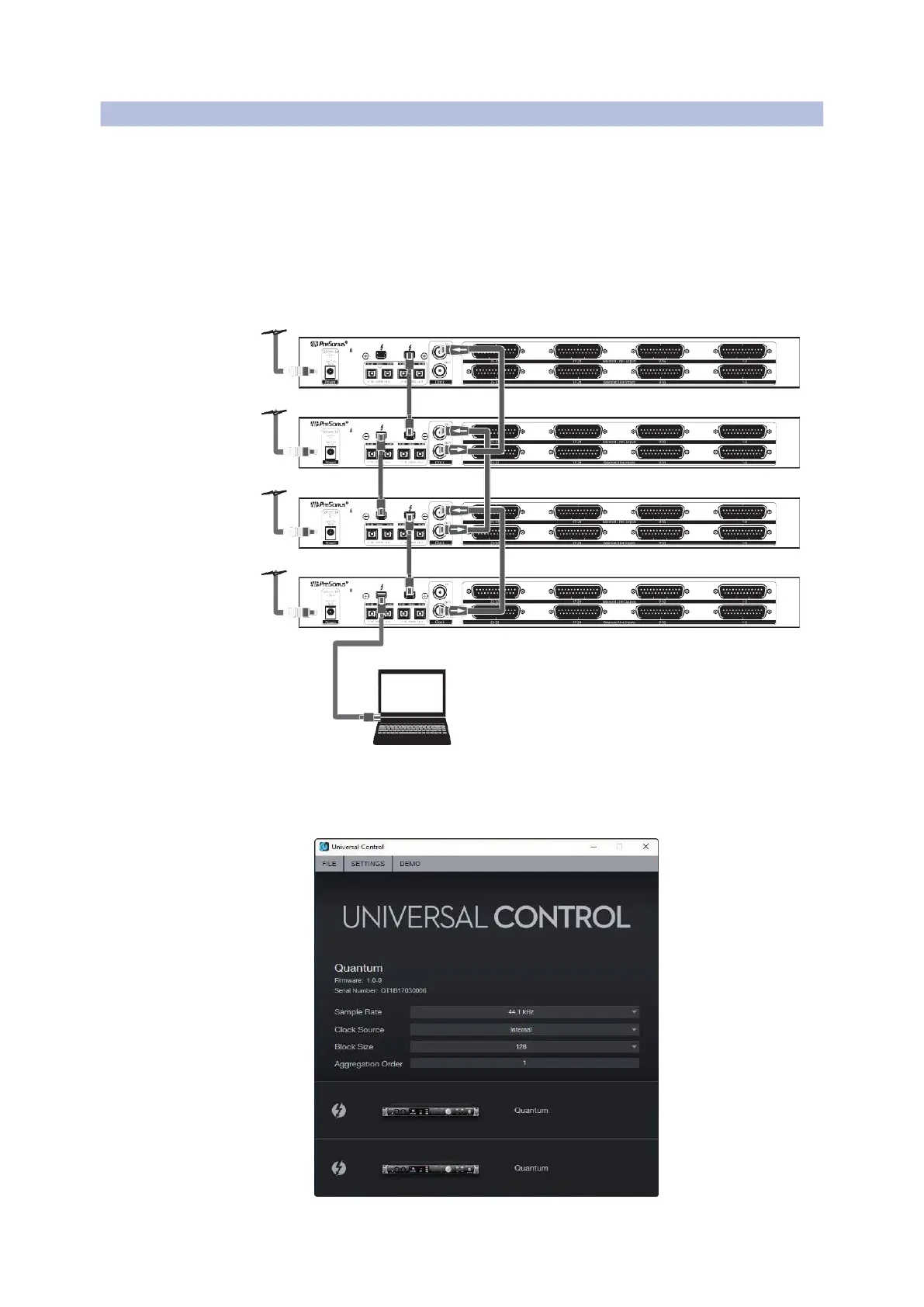
Aggregating Devices
Windows
Quantum 4848
Owner’sManual
1.
C
onnect your Quantum interfaces to your computer
and launch Universal Control.
将你的
Quantum
接口连接到你的计算机上,并启动
Universal Control
。
Please Note: Your Quantum interfaces must be clocked to each other via BNC
and one unit must be designated as the master.
请注意:你的
Quantum
接口必须通过
BNC
相互时钟连接,并且必须指定
一个设备作为主设备。
Computer
2.
Select the Quantum interface you would like to use
as the first bank of channels and set the priority to
“1.”



 To Next Page