Studio One Profesional Quick Start
Creating a New Song
Quantum 4848
Owner’sManual
2.
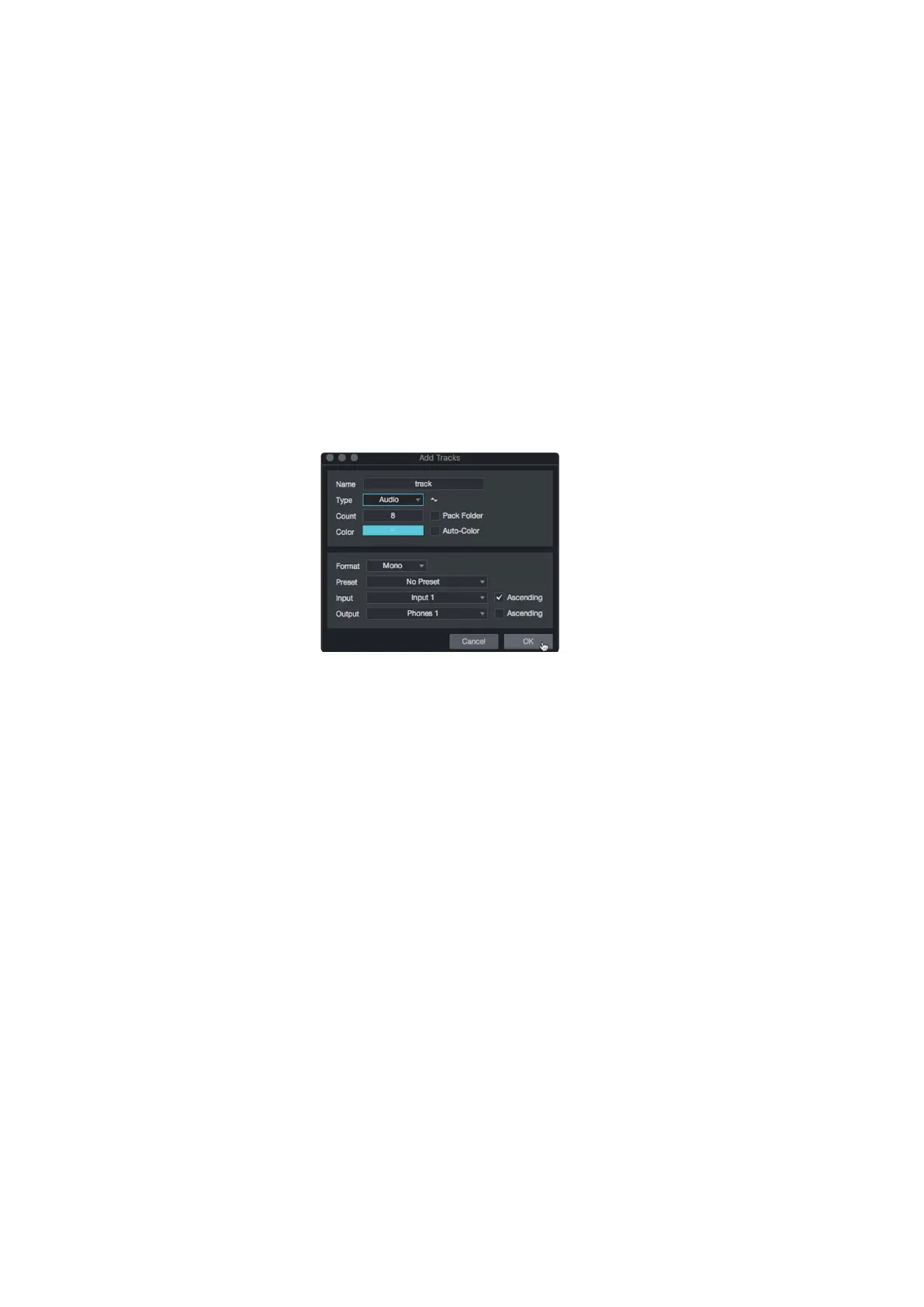
In the Add Tracks window, you can customize the track name
and color, add a preset rack of effects, and set the physical
source for the input and output of your audio tracks. Most
important, you can select the number and type of tracks you’d
like to create.
在
"Add Tracks"
窗口中,你可以自定义音轨的名称和颜色,
添加预设的效果器,并为音轨的输入和输出设置物理源。最
重要的是,你可以选择你想创建的轨道的数量和类型。
PowerUserTip:
If you’d like the Talkback mic available for your session,
create a track with the Talkback input (Input 27) set as the source. This will
allow you to route it to your Cue Mix outputs. See Section 6.5.
用户提示:
如果你想让对讲机在你的会话中使用,可以创建一个轨道,将
对讲机输入(Input 27)设置为信号源。这将允许你把它路由到你的提示
混合输出。
见第
6.5
节。
•
Audio. Use this track type to record and playback audio files.
•
Instrument.Use this track to record and playback MIDI data to
control external MIDI devices or Virtual Instrument plug-ins.
•
Automation.This track type lets you create automated
parameter controls for your session.
•
Folder.
This track helps you to manage your session as
well as to quickly edit multiple tracks at once.
•
Audio. 使用这种轨道类型来记录和播放音频文件。
•
Instrument.使用这种轨道来记录和播放MIDI数据,
以控制外部
MIDI
设备或虚拟乐器插件。
•
Automation.这种轨道类型让你为你的会话,创建
自动参数控制。
•
Folder.
这个轨道可以帮助你管理你的会话,以及一
次快速编辑多个轨道。
Power User Tip: If you would like to add an audio track for each of the available
inputs, simply go to Track | Add Tracks for All Inputs.
用户提示:如果你想为每个可用的输入添加一个音轨,只需进入
Track | Add
Tracks for All Inputs
。



 To Next Page