10
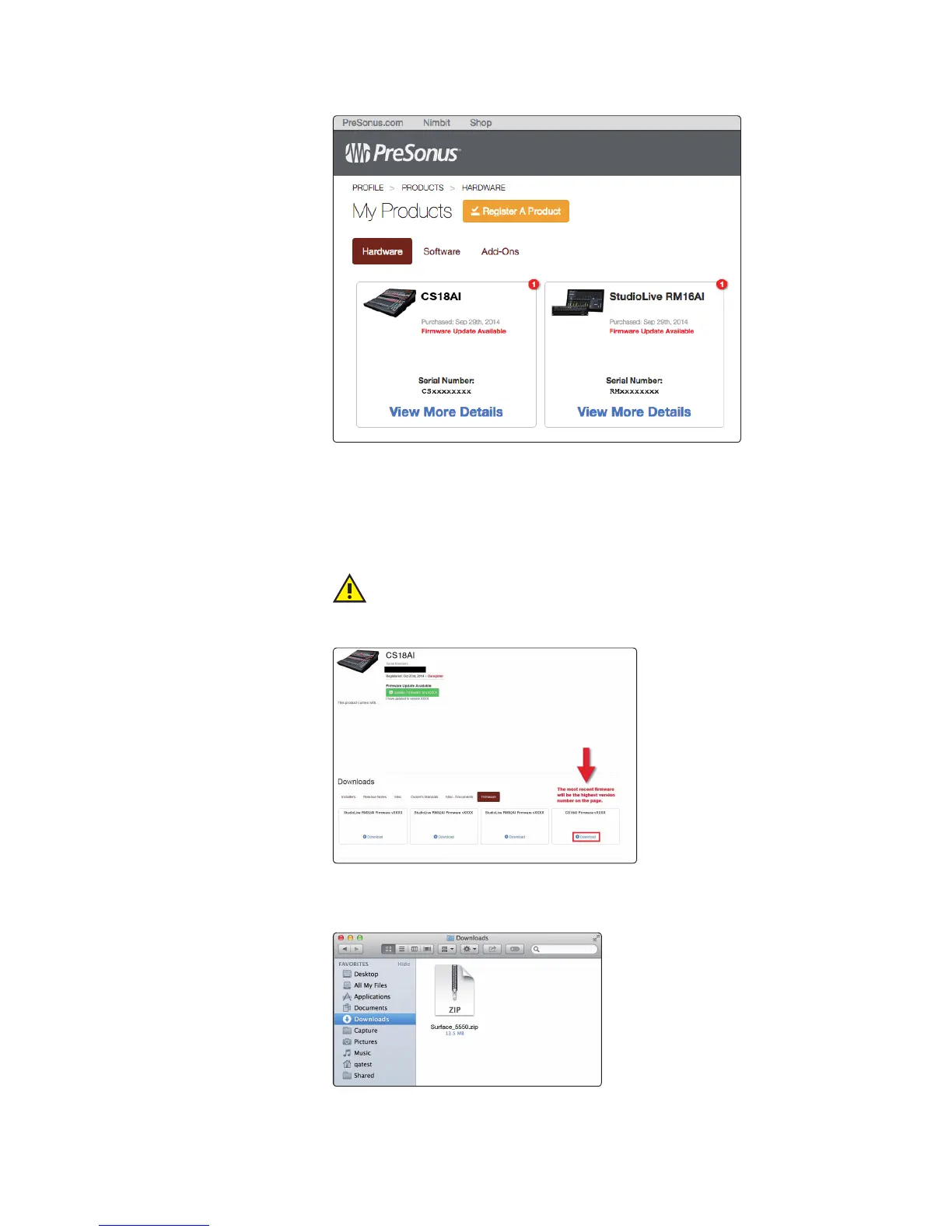
4. Find your CS18AI on the page and click the View More Details link.
5. If there is an Update Firmware to v<xxx> button just under the product
name and serial number, click it to download the files to your computer.
6. If there is no Update Firmware button, click the Firmware button in the
Downloads area to access recent firmware updates, then click the Download link
to begin downloading the files. If there is more than one update displayed, be
sure to click the Download link for the one with the highest version number.
IMPORTANT: The StudioLive CS18AI control surface, StudioLive AI console
mixers, and StudioLive AI RM mixers each use different firmware files.
Loading the wrong firmware can cause a device to function improperly and
potentially damage the unit.
7. When the download completes, open your Downloads folder and locate the
StudoLive firmware folder. The folder will be named with your controller’s
model number and the new firmware version (e.g., CS18AI_v1234).











 To Next Page