EasyManua.ls Logo

PRESONUS StudioLive CS18AI - Page 66

PRESONUS StudioLive CS18AI
96 pages
Print Icon
To Next Page IconTo Next Page
To Previous Page IconTo Previous Page
Loading...
5 Controlling StudioLive RM-series Mixers with the CS18AI
5.6 Master Control and Touchscreen
StudioLive
CS18AI
Owners Manual
62
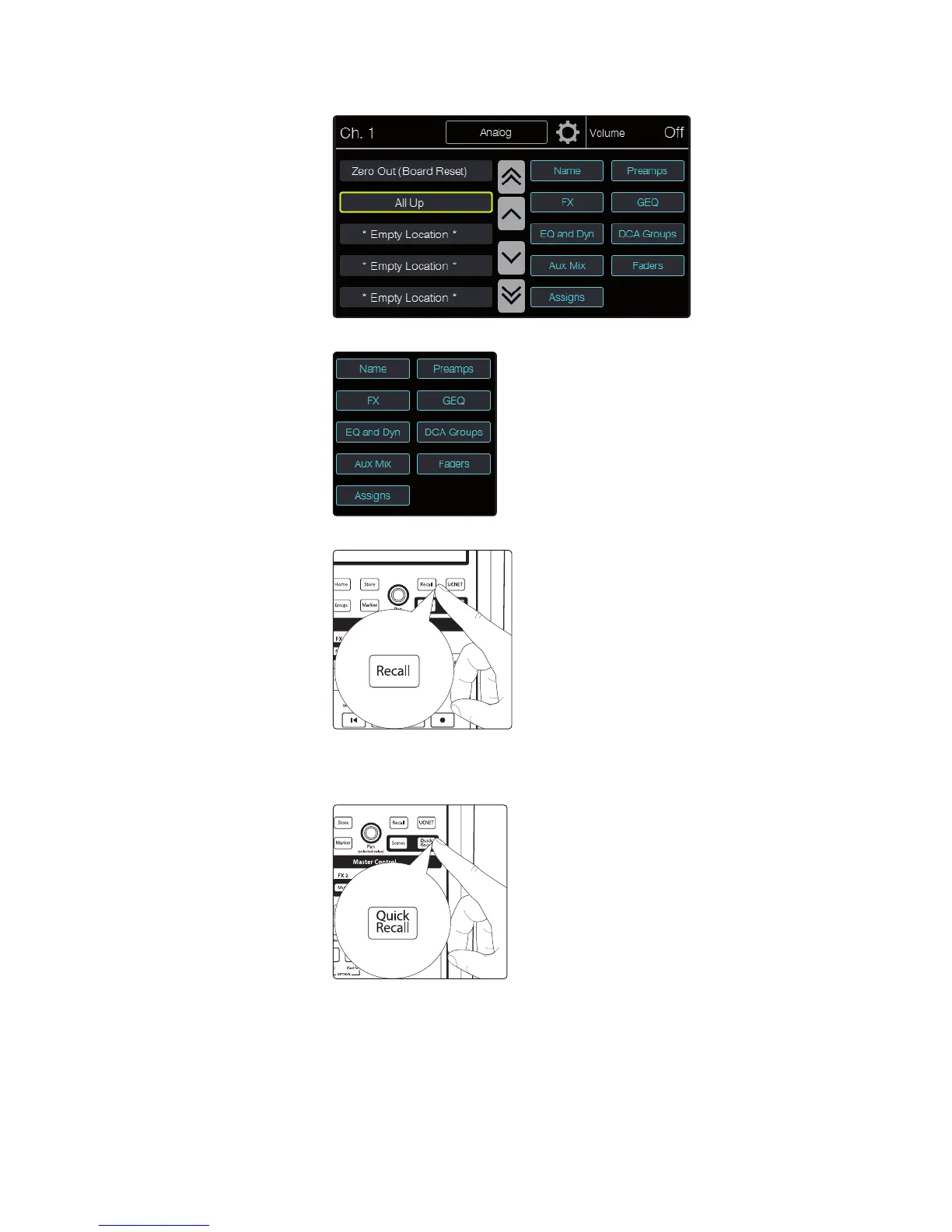
3. Touch the location from which you want to recall a mix scene to select it.
4. Set up any scene filters you want to use to limit which data is loaded.
5. Press the Recall button in the Master Control area. The scene is recalled.
For quick recall of mix scenes:
1. Press the Quick Recall button. The button stays lit
to show you are in Quick Recall mode.


Other manuals for PRESONUS StudioLive CS18AI

Related product manuals