79
Editing an Effects Processor
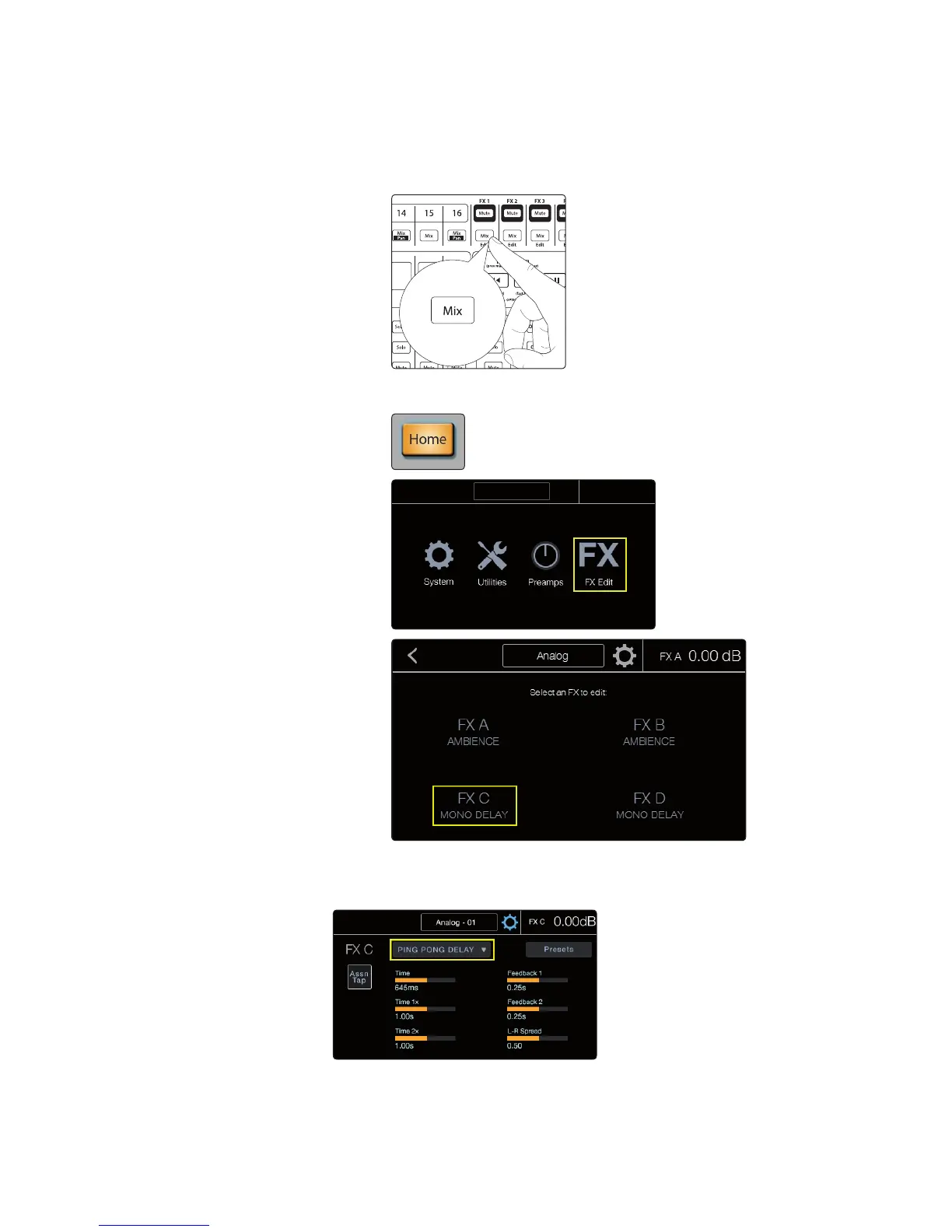
7. To open the FX Edit view, you can press the FX Mix button for the processor
you want to use or navigate to the screen from the Home screen.
a. Pressing the FX Mix button will automatically open the associated FX
Edit view on the touchscreen.
b. From the Home screen, press FX Edit and then press the button for the
effects you’d like to edit.
8. Once in the desired FX Edit view, you can change the effects type,
adjust the parameters, and load or save a preset. Parameters will
populate on the screen based on the effects type you’ve chosen.











 To Next Page