4 APS787Z Owners REV.B
Programmed Transmitter Notication
As a security precaution each time the vehicle’s ignition is turn on the status
LED light with ash the number of remote controls programmed into the
system. This helps to identify unauthorized remote controls from accessing
your vehicle. If you believe an unauthorized remote control has been
programmed to your system, contact your dealer for assistance.
User Selectable Notication Chirps
System ARM/DISARM chirps can be toggled ON or OFF without entering the
programming feature banks.
1. Turn the ignition ON then OFF.
2. Press and release the valet button three (3) times.
The system will respond with one (1) chirp for ON or two (2) chirps for OFF.
User Selectable LED
This feature will control whether the LED is ON or OFF when the system
is Armed/Locked and can be toggled ON or OFF without entering the
programming feature banks.
1. Turn the ignition ON, OFF, ON, OFF.
2. Press and hold the valet button for ve (5) seconds.
The system LED will respond with one (1) ash for ON or two (2) ashes for
OFF.
Bypassing The Shock Sensor
The included security shock sensor has two stages of detection, Warn-Away
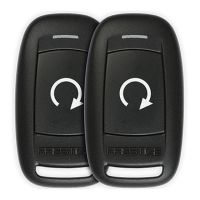
and Full Trigger. To arm the system and shock sensor press the
button. The
system will chirp and the lights will ash one (1) time.
To Arm the system and bypass the Warn-Away detection stage press the
button two (2) times within ve (5) seconds.
To Arm the Alarm the bypass both detection stages press the
button three
(3) times within ve (5) seconds.
City Mode
City Mode allows the user to change the sound of the alarm system to make
it easily identied when the alarm is triggered. To enter City Mode press the
button four (4) times within ten (10) seconds.



 To Next Page