72020 Voxx Electronics Corporation. All rights reserved.
Remote Starting Your Vehicle
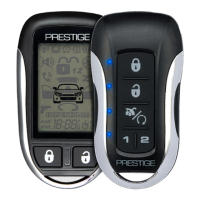
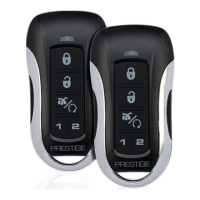
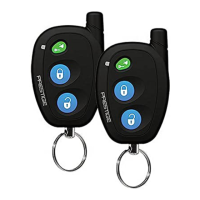
To activate the remote start function, press and release the
button two
(2) times within two (2) seconds. The system will sound, the parking lights
will ash one (1) time and the system will check the vehicle to ensure it is
safe to start. If all safety parameters are correct, the vehicle will start. The
vehicle’s parking lights will turn on (or ash depending on system settings)
as a visual indication that the vehicle has started and is running.
If your vehicle stalls or does not start, the system will pause ve (5) seconds,
then try two (2) more times to start (a total of three (3) attempts). The
system will pause ve (5) seconds between each start attempt.
Entering the Vehicle while it is Running via Remote Vehicle Start
(Optional)
1. Unlock the vehicle’s doors.
2. Enter the vehicle. DO NOT PRESS THE BRAKE PEDAL!
3. Insert the key into the ignition switch and turn to the ON or RUN
position.
4. Press the brake pedal.
The remote vehicle starter will disengage and the vehicle will operate
normally.
Preheating or Precooling the Vehicle’s interior
Before exiting the vehicle, set the temperature controls to the desired
setting and operation. After the system starts the vehicle, the heater or air
conditioner will activate and heat or cool the vehicle’s interior to your setting.
Remote Start Safety Features
For safety and security reasons, the system will shutdown or prevent the
remote vehicle starter from activating if any of the following occur:
• The vehicle’s hood is open.
• The brake pedal is pressed prior to turning the ignition key to the ON
position.
• The engine is over-revved (tach checking only).
• Remote Start Service Mode is active. Refer to the Valet Mode
section of this manual on page 11.
• Remote Start Ready Mode is not set. Manual transmission vehicles
only.
Remote Start Shutdown
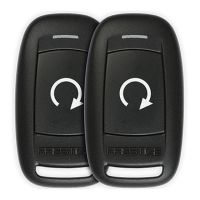
Press and release the
button two (2) times to turn the vehicle o.
Using Your Remote Starter



 To Next Page