6 Hardware and Software Setup
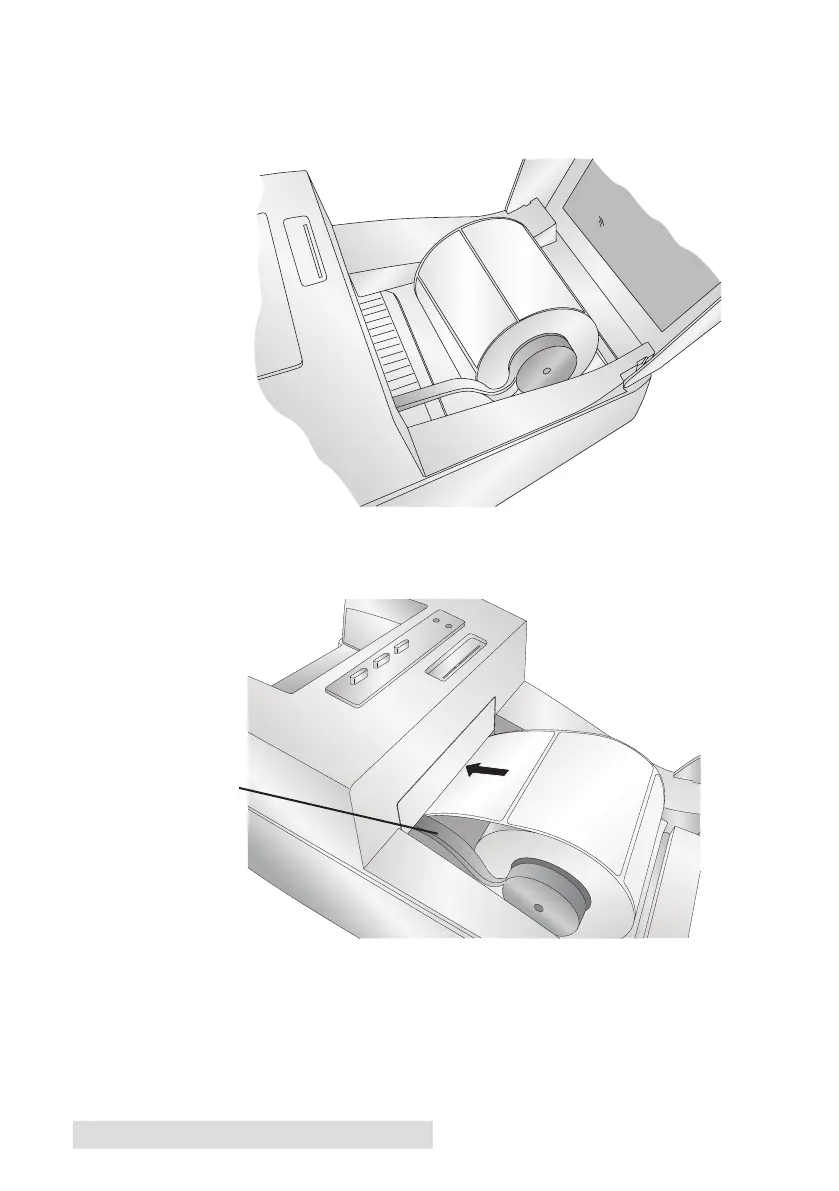
4. Place the label stock between the stock guide rollers and release
the spring loaded stock guide to hold the label stock. The stock
guide rollers allow the label stock roll to move freely.
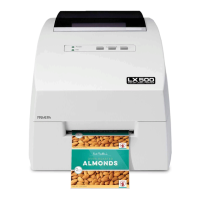
5. Place the leading edge of the label stock between the throat
guide and the side of the printer.
6. Quickly continue feeding the label stock further into the printer
until you feel resistance from the feed rollers. The printer will
sense the label and automatically feed it through the printer. If
the printer fails to feed the label stock, press the Load/Feed
button to manually engage the feed roller while continuing to
guide the label stock into the printer.
Throat Guide


 To Next Page