30 Printing Using a PC
D. PRINTER DRIVER SETTINGS (PC)
Settings changed via the method below will apply to all new designs
created in BarTender or other programs after the preferences were
changed. Existing labels saved in BarTender will not be affected
since the preferences are saved with the label. To change these pref-
erences you will have to change printer preferences through
BarTender before printing by clicking the "Document Properties"
button.
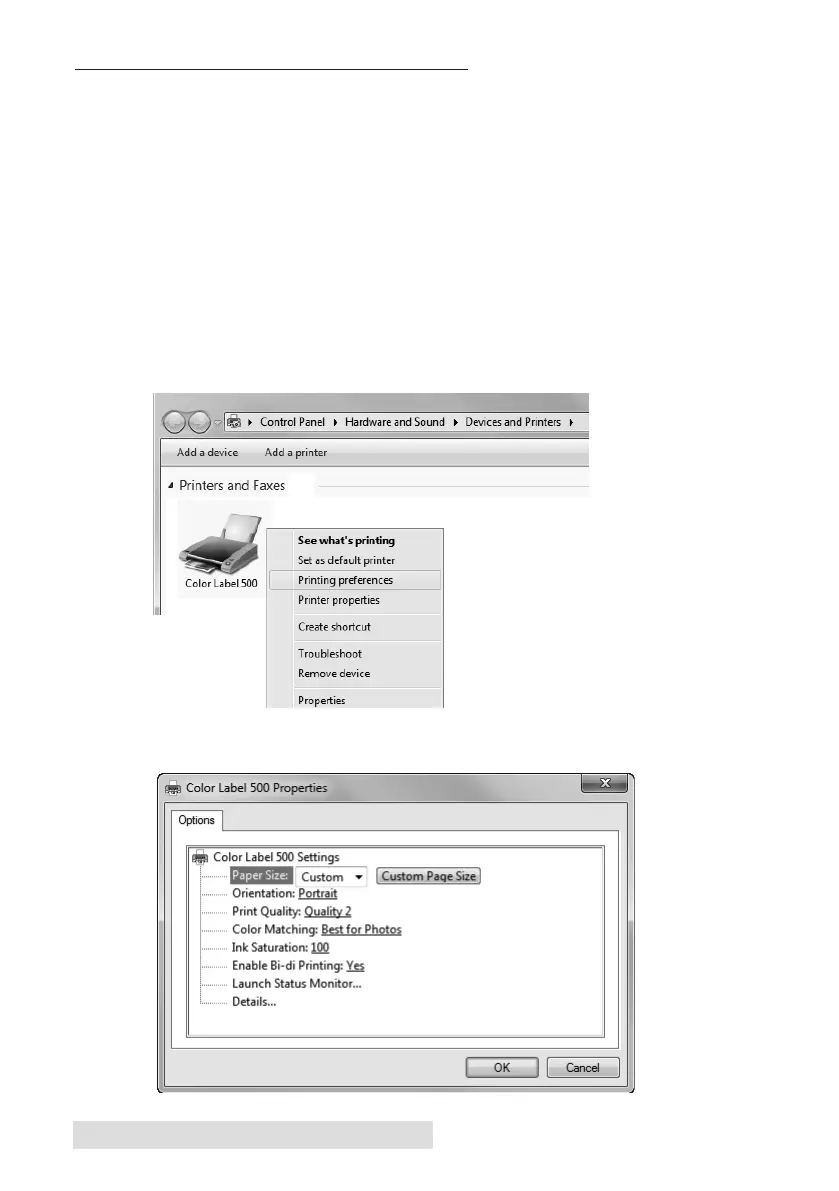
To find Driver Settings:
Click the Start button, choose Printers and Faxes. Right-click on the
Color Label 500 Icon and select Printing Preferences from the drop-
down menu.
The preferences screen will appear.



 To Next Page