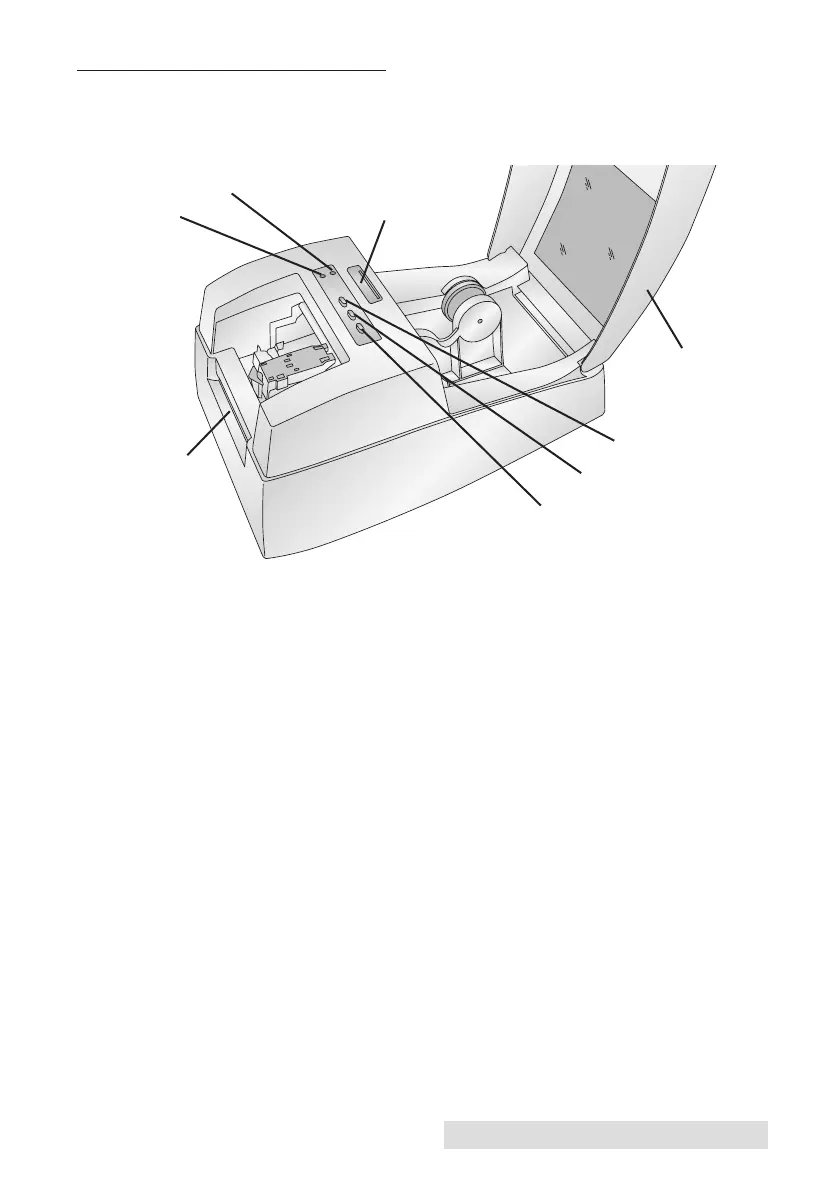
C. IDENTIFYING THE PARTS
This illustration shows the front of the printer with its control but-
tons and LED indicator lights.
The Ink Low LED will illuminate when a cartridge has 10% or less
of its ink remaining.
The Power LED indicates that the printer is on and ready to receive
print jobs.
The Ink Button moves the carriage to the center to allow for loading
of the ink cartridge. Once the cartridge is loaded, press the ink but-
ton again.
The Load/Feed Button is pressed in order to load label stock or
form feed the label stock through the printer.
The Unload Button will unload the installed label stock by
reversing it through the printer. Make sure to tear off the printed
labels before pressing the Unload Button.
The Label Tear Bar is a serrated edge for conveniently tearing your
finished labels from the printer.
Unload Button
Ink Button
Power LED
Load/Feed Button
Ink Low LED
Label Tear Bar
Top Cover
Getting Started 3
Label Stock TOF
Sensor Bar



 To Next Page