GP3000 Series Hardware Manual
8-22
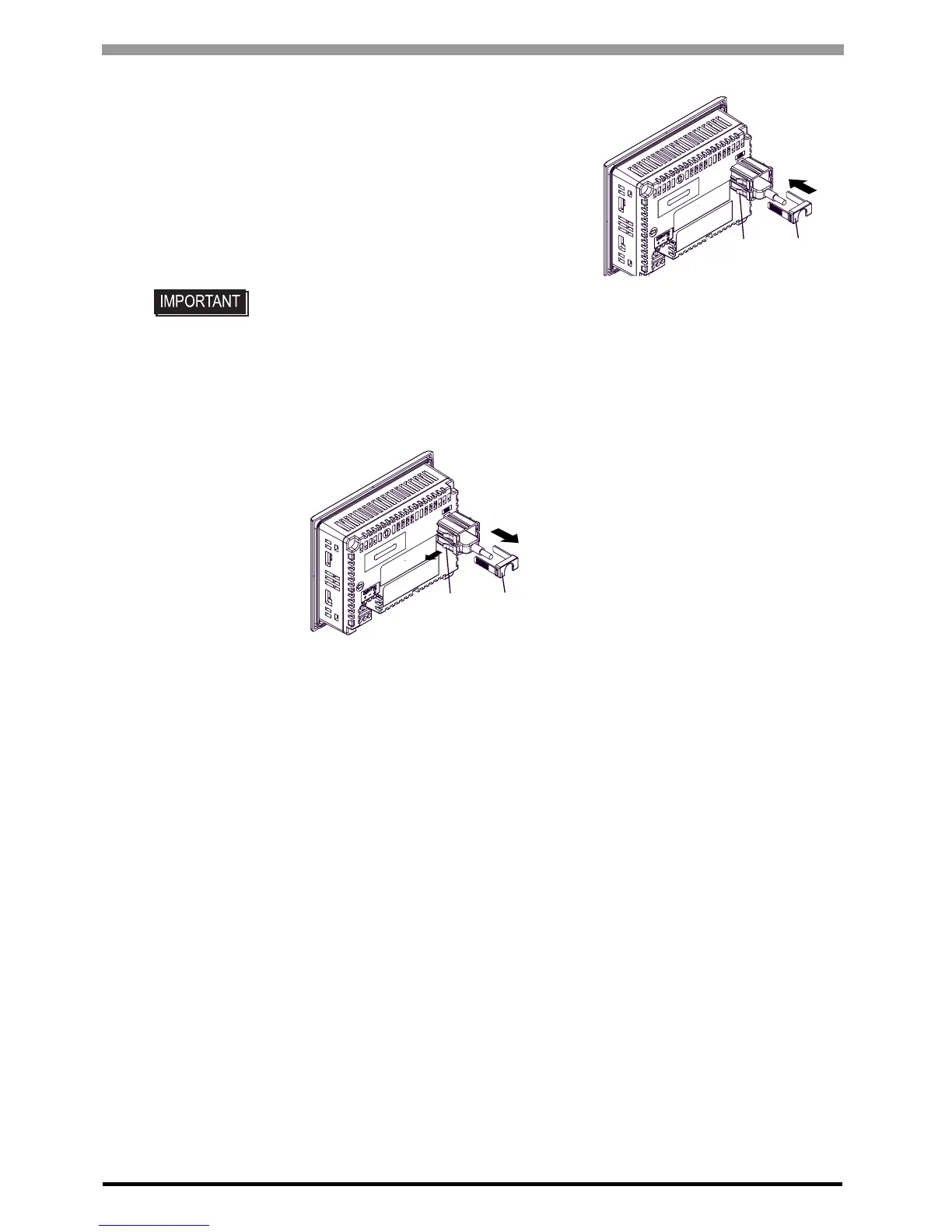
(4) Attach the USB cover to fix the USB cable. Insert the
USB cover into the tab of the USB Holder.
Removal
(1) Lift up the tab of the USB Holder and then remove the USB cover as shown below.
(2) After removing the USB cable, remove the picks pushing the USB Holder from both top and bottom.
• Check the up/down orientation of the USB cover to ensure that the USB cable is
secured properly.
Tab
USB cover
Tab USB cover





 To Next Page