Chapter 8 Installation and Wiring
8-21
8.4 USB Cable Clamp Attachment/Removal
This clamp is used to prevent the USB cable connected to the USB Host Interface of the GP unit from being
unplugged due to vibration or other causes.
8.4.1 GP-3200 Series
Attachment
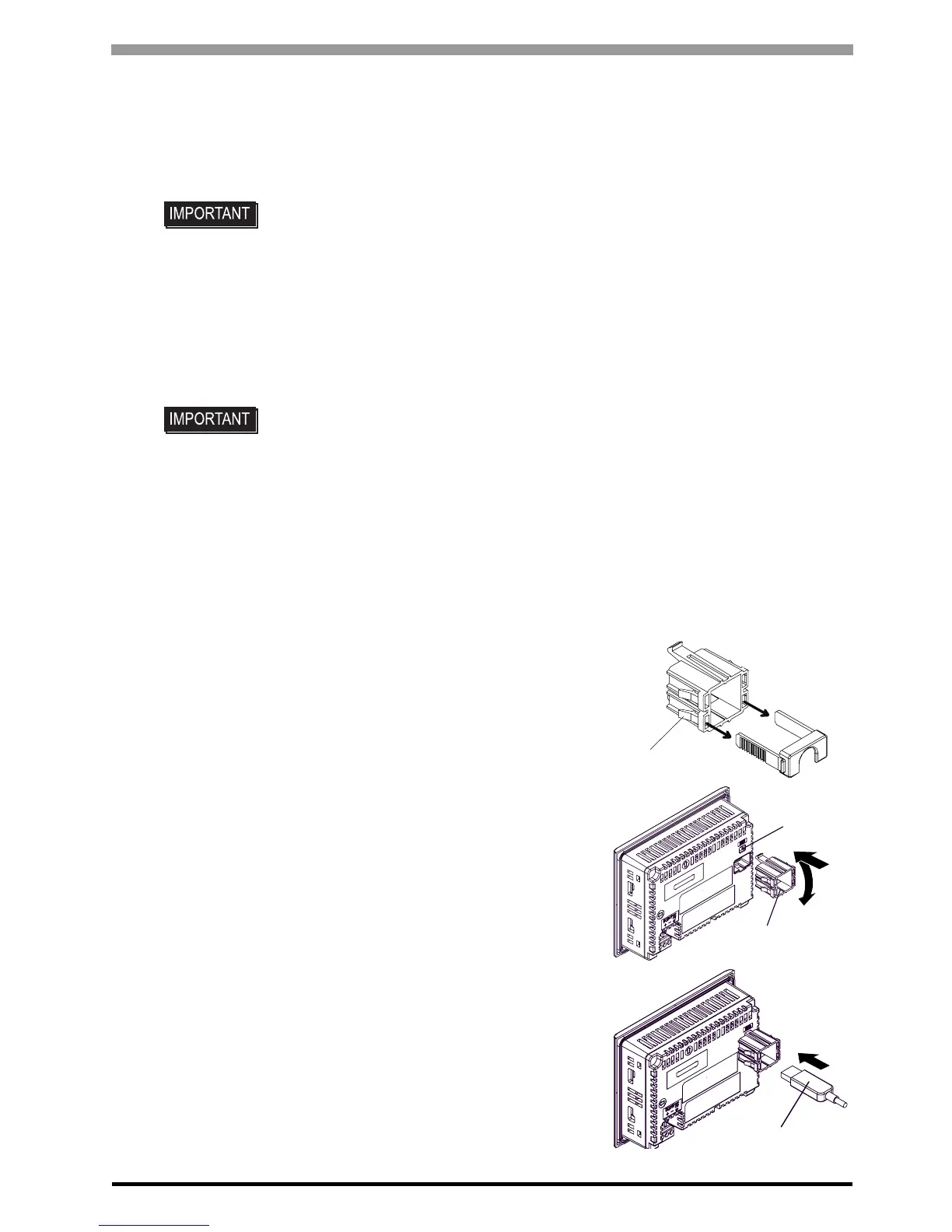
(1) Before starting the procedure, pull up the tabs on both
sides of the USB Holder and remove the USB Cover.
(2) Attach the USB Holder to the USB Host Interface part
of the main unit. Hook the upper pick of the USB
holder to the attachment hole of the main unit and then
insert the lower pick as shown below to fix the USB
holder.
(3) Insert the USB cable into the USB Host Interface.
• When the USB Host Interface is used in the hazardous locations specified in
UL1604, use the USB holder to secure the USB cable. The USB Host Interface
cannot be used unless the connectors attached to the GP unit and connected
device are completely secured to prevent disconnection.
(AGP-3300U does not conform to UL1604.)
• When using USB Host Interface in Hazardous Locations, it is necessary to meet
the following requirements.
a) Use the associated USB Cable Clamp: CA5-USBATL-01 (made by Pro-face)
b) Use the USB cable with the housing that suits the associated USB Cable
Clamp: CA3-USBCB-01 (made by Pro-face) or USB cable with the housing of
the same size as CA3-USBCB-01
(If USB cable with a small housing is used, it may not be securely fixed.)
Tabs
USB holder
attachment
hole
USB cable





 To Next Page