Chapter 3 Part Names and Functions
3-3
3.2 GP-3300 Series
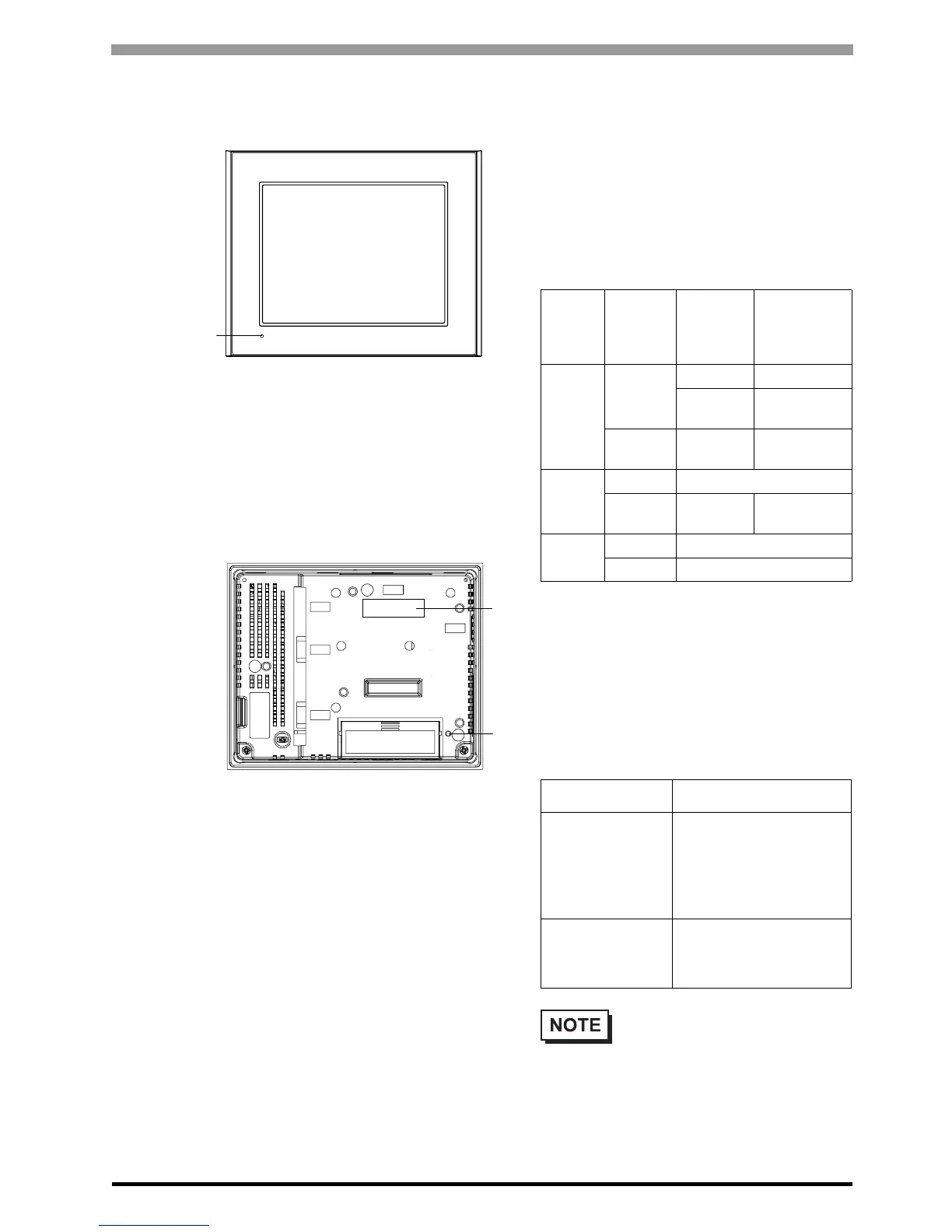
A: Status LED
This LED indicates the GP’s status, e.g. power
input, firmware RUN status or backlight condition.
Also, indicates the status of logic program
execution. (The logic program is disabled in the
AGP-3302B/3301L/3301S. The Status LED turns
on only in Operation Mode (Drawing).)
B: Expansion Unit Interface
Connects expansion units with communication
features.
C: CF Card Access Lamp
This lamp light up when CF card is inserted and CF
card cover is closed. However, opening the CF card
cover, in the CF card while accessing it continues
to light up. (Except AGP-3302B)
Color Indicator
Operation
Mode
(Drawing)
Logic execu-
tion mode
(when logic is
enabled)
Green
ON
OFFLINE -
In
operation
RUN
Flashing
In
operation
STOP
Red
ON When power is turned on.
Flashing
In
operation
Major Error
Orange
ON Backlight burnout
Flashing During software startup
Access Lamp Indicates
Green ON
The CF Card is
inserted and the CF
Card Cover is closed.
Or, the CF Card is
being accessed.
Green OFF
The CF Card is not
inserted or is not being
accessed.
• Do not remove or insert the CF
Card when the LED lamp is on.
Doing so may damage data on the
CF Card.
Front
Back
A
B
C





 To Next Page