5. Measure your heart rate if desired.
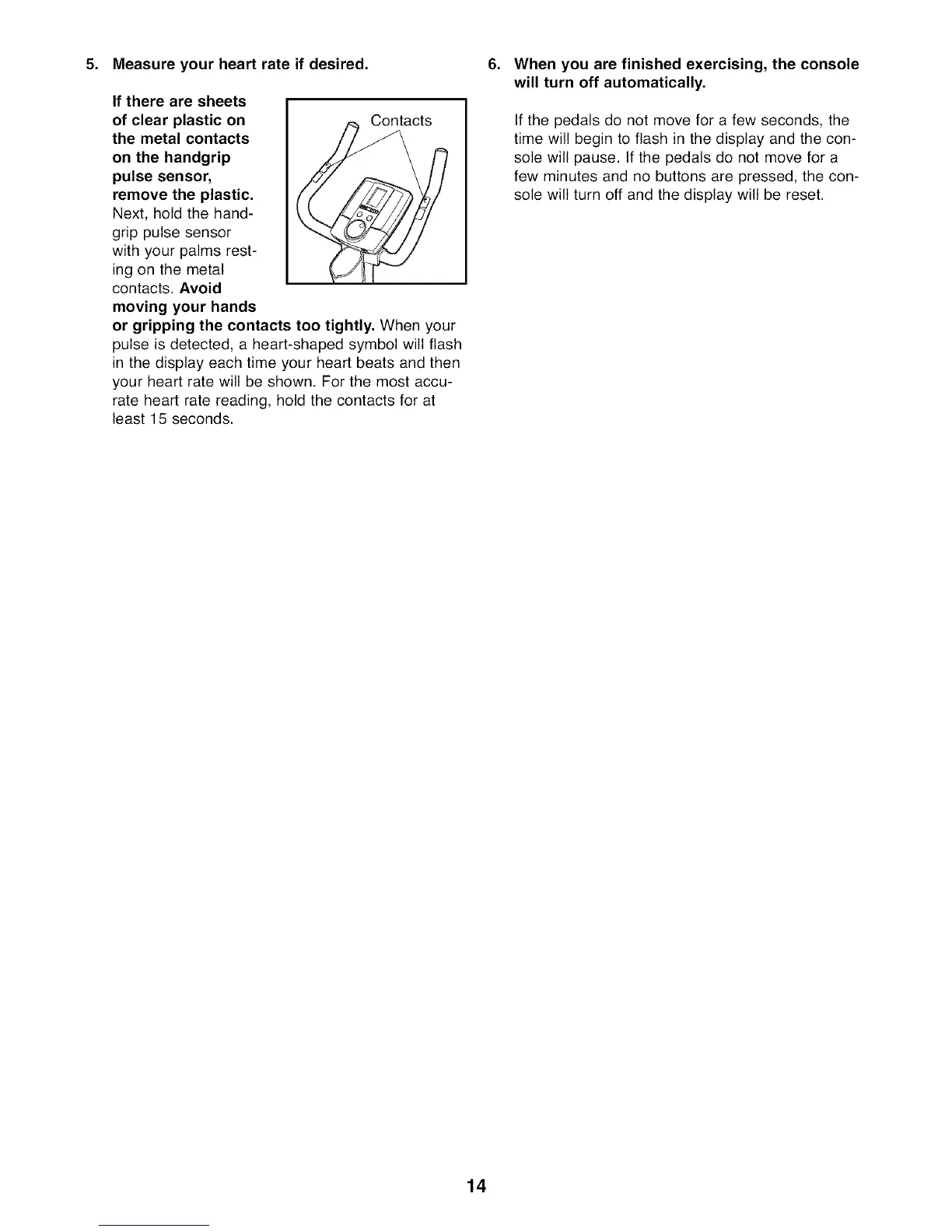
If there are sheets
of clear plastic on Contacts
the metal contacts
on the handgrip
pulse sensor,
remove the plastic.
Next, hold the hand-
grip pulse sensor
with your palms rest-
ing on the metal
contacts. Avoid
moving your hands
or gripping the contacts too tightly. When your
pulse is detected, a heart-shaped symbol will flash
in the display each time your heart beats and then
your heart rate will be shown. For the most accu-
rate heart rate reading, hold the contacts for at
least 15 seconds.
.
When you are finished exercising, the console
will turn off automatically.
If the pedals do not move for a few seconds, the
time will begin to flash in the display and the con-
sole will pause, tf the pedals do not move for a
few minutes and no buttons are pressed, the con-
sole will turn off and the display will be reset.
14




 To Next Page