Blood Glucose Monitoring System - User’s Manual
Diagnostic Devices, Inc www.prodigymeter.com 1.800.243.2636
16
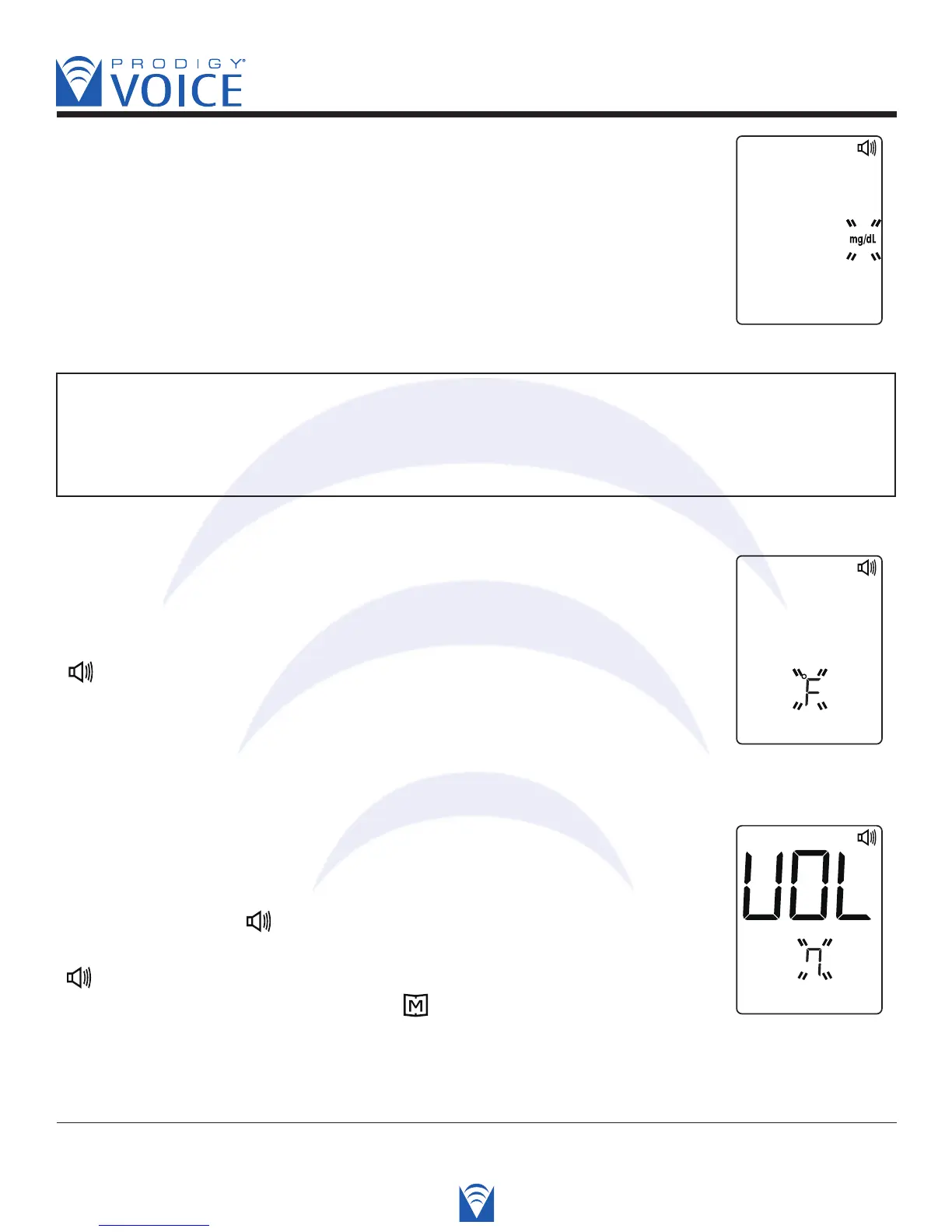
STEP 6 Select mg/dL or mmol/L
Press the “Up” or “Down” button to select the unit of measurement
you want to use. Press the S button and then the current unit
of temperature flashes.
WARNING
The milligram per deciliter (mg/dL) is the standard unit in the United States. The millimole
per liter (mmol/L) is the standard unit in Canada. Use of the wrong unit of measure may
cause you to misinterpret your blood glucose level, and may lead to incorrect treatment.
STEP 7 Select “ ºF ” for Fahrenheit or “ ºC ” for Celsius
Press the “Up” or “Down” button to select the unit of temperature
you want to use. Press the S button and the meter will display “VOL”,
“ ” and a flashing number.
Voice SPEAKS: “Temperture unit is degrees Fahrenheit.”
STEP 8 Select Speaking Function & Volume
Press the “Up” and “Down” buttons until you hear the desired
speaking volume. Number 0 indicates that the speaking function
is turned off, where “ ” does not display on LCD during testing.
Number 1 to 7 indicates speaking volume from low to high, where
“ ” displays on LCD during testing. Press the S button and the
meter will display “dEL” with flashing “ ” symbol.
Voice SPEAKS: “Voice volume is 7.”



 To Next Page