Blood Glucose Monitoring System - User’s Manual
Diagnostic Devices, Inc www.prodigymeter.com 1.800.243.2636
35
2. Read the Average of Blood Glucose Results
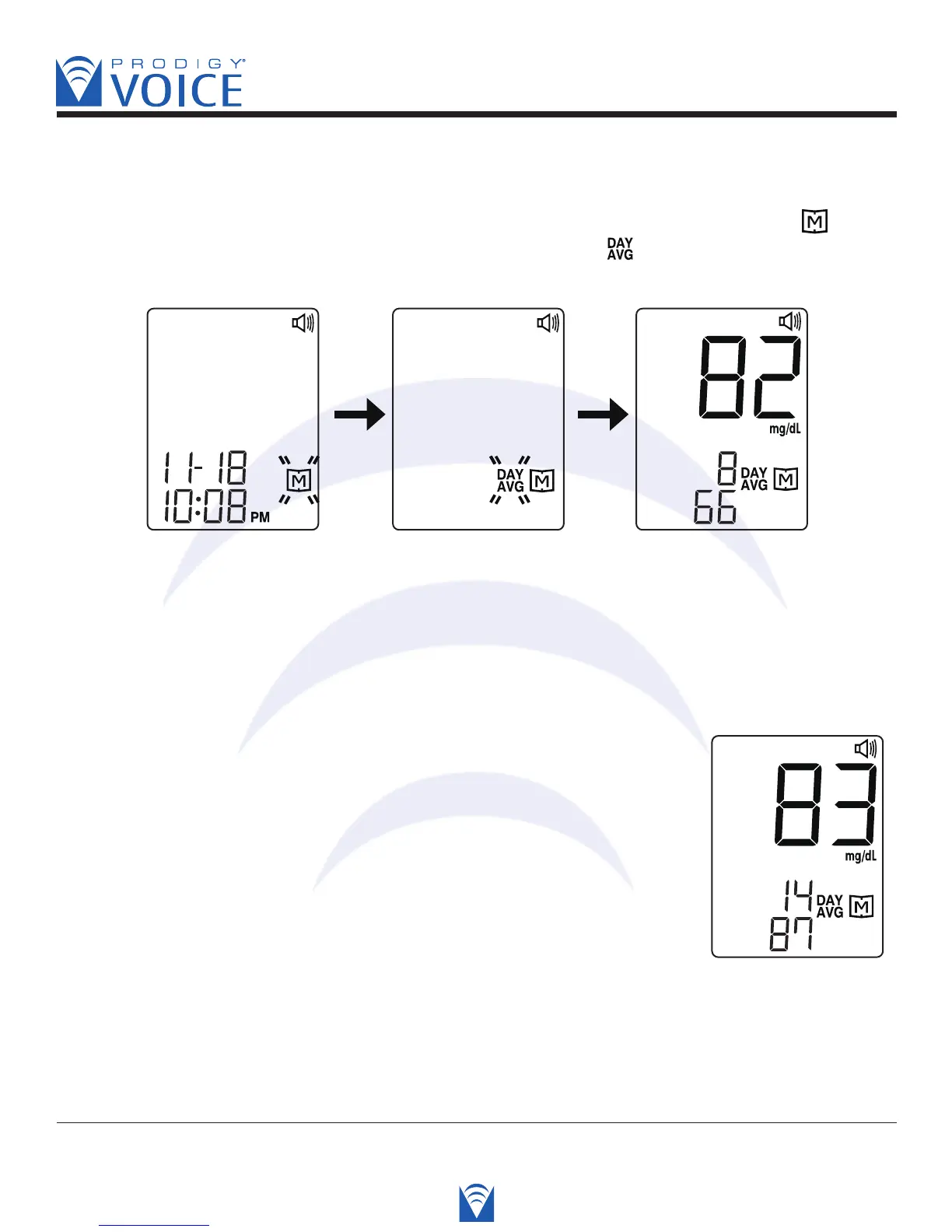
STEP 1. When the meter is off, press and release the M button. The screen shows “ ”.
Keep pressing the “M” button for 2-3 seconds, until blinking “ ” appears. Release the “M”
button and then the 7-day average result will appear on the screen.
Voice SPEAKS: “Thank you for using Prodigy Voice.
Today’s date is (today’s date). The time is (the time).
Press “M” key for memory recall mode.”
STEP 2. Press the “Up” and “Down” buttons to review
the 14, 21, 28, 60 and 90 day average. Like the 7-day
average, the 14- day average and the times of performing
test in the past 14 days will be shown on the screen.
Voice SPEAKS: “The fourteen day average is eighty-three
milligrams per deciliter for eighty-seven records.”



 To Next Page