25
®
DULCOMETER
®
STOP
START
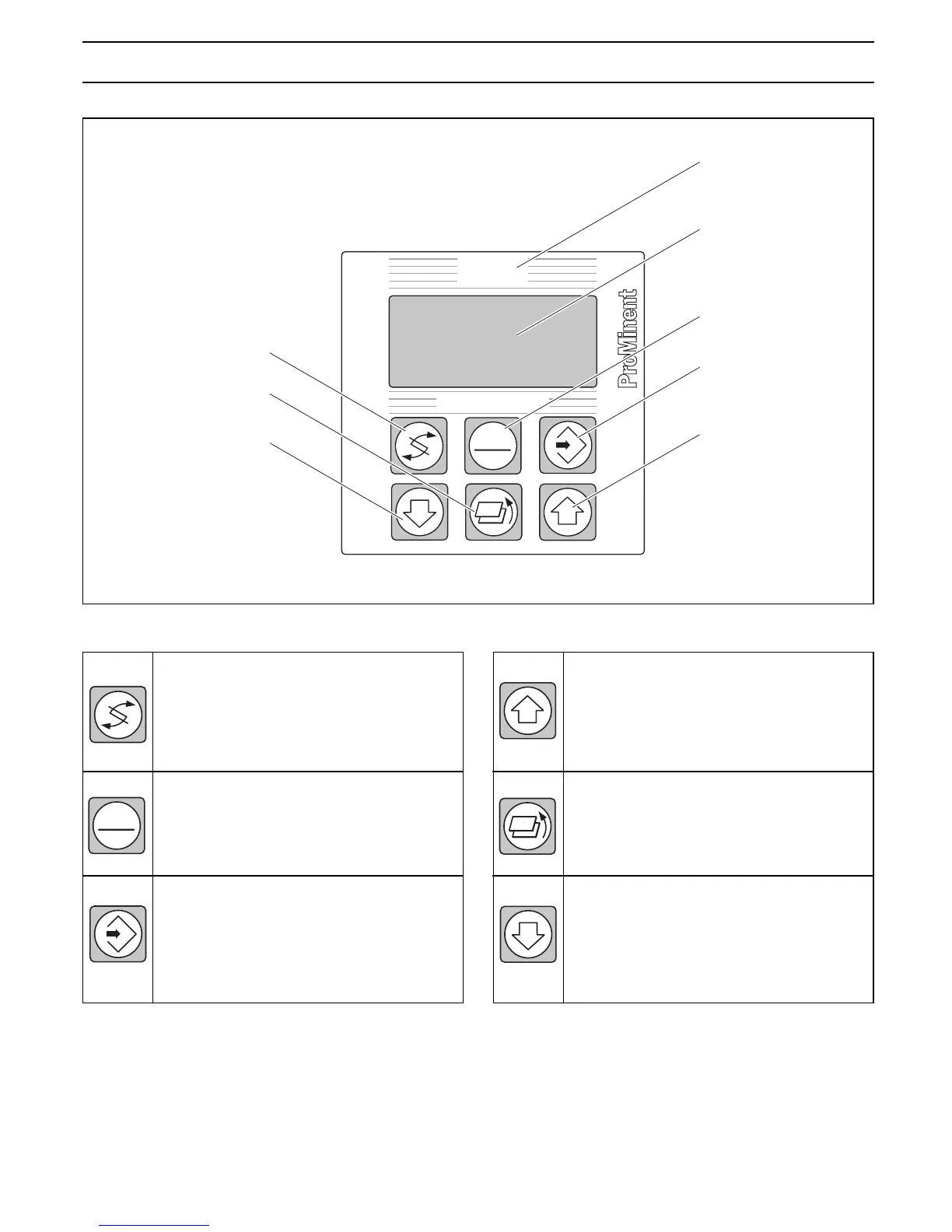
Display field
measured
variable
Graphic display
START/STOP
Button
ENTER
Button
UP
Button
CHANGE
Button
DOWN
Button
RETURN
Button
D1C
CHANGE button
To change over within a menu level
and to change from one variable to
another within a menu point.
START/STOP button
Start/stop of control and metering
function
ENTER button
To accept, confirm or save a displayed
value or status. For alarm acknowl-
edgement.
3 Device Overview / Controls
D1C2-Cl-002-GB
STOP
START
UP button
To increase a displayed numerical
value and to change variables (flashing
display).
RETURN button
To exit operating menu (back to start
of relevant setting menu).
DOWN button
To decrease a displayed numerical
value and to change variables (flashing
display).















 To Next Page