37
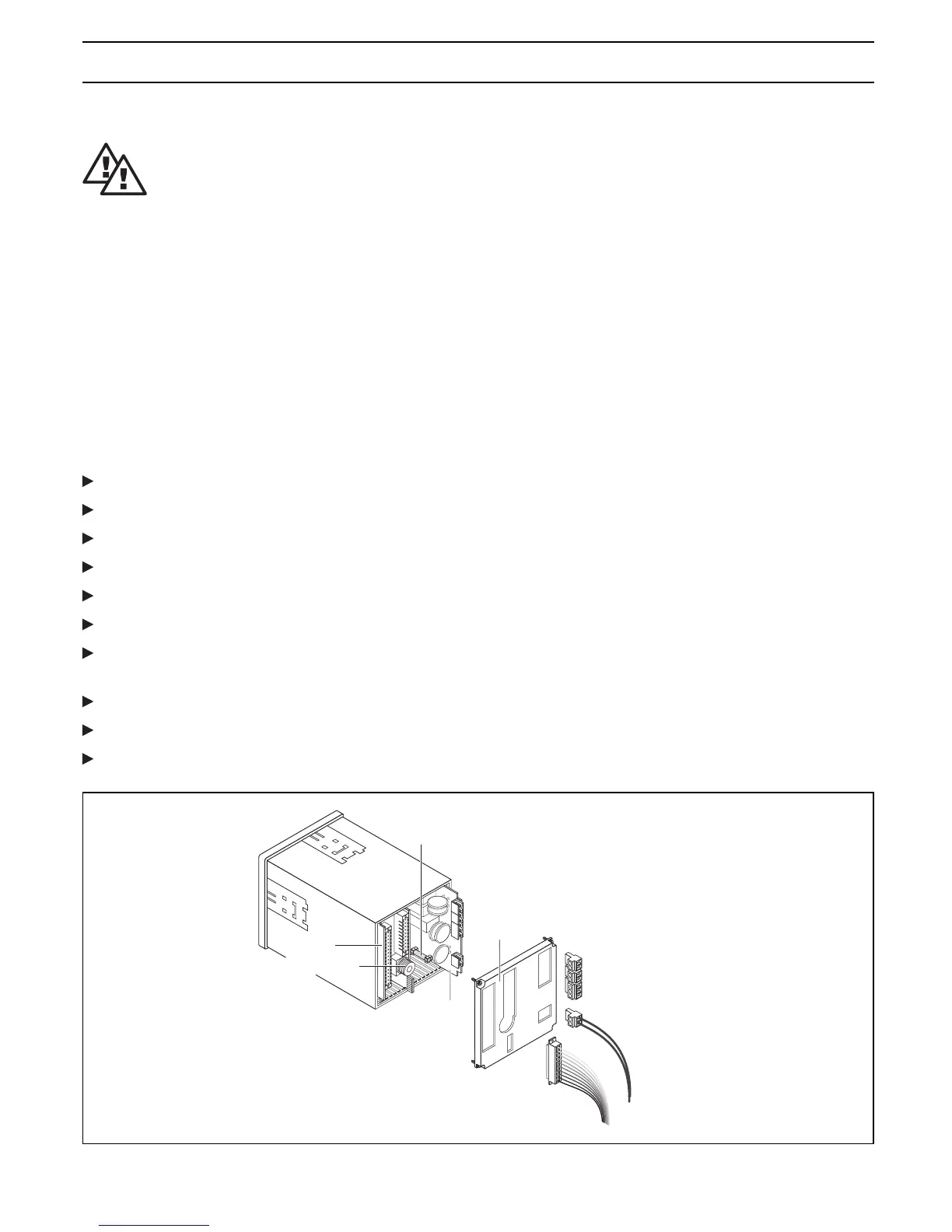
Input /
Output
terminals
Power supply
pc-board on rail 1
Fuse
Rear cover
Terminal block with
flange screw fitting
Pin strip
SN6-connector
Safety information
WARNING
• The device or system must be disconnected from the power supply before starting any
maintenance work. The DULCOMETER
®
D1C does not feature a separate power switch!
The power supply must therefore be interrupted by means of an external master switch
or by a main fuse. General safety regulations are applicable at all times!
Even when the voltage supply is switched off, mains power may still be applied at
terminals XR 1-3!
• Only use fuses of the specified manufacturer!
Only use 5 x 20 mm miniature fuses!
Fuse rating at mains voltage 100…240 V: 0.160 A slow-blow, Part No. 712048
24 V: 0.315 A slow-blow, Part No. 712026
Fuse change D1C D:
The device can be opened from the rear. For this purpose:
Release flange screw connections of plug-in terminal strips
Unplug terminal strips together with electrical connections
Release SN6 connector (if fitted) and unplug from socket
Unscrew rear panel and remove; the captive screws are located on the rear cover
The power board is located on the right-hand side (viewed from rear); pull out towards rear
If necessary, remove fuse and replace by new fuse
Take particular care when re-inserting the card to ensure that it is fitted in the same rail otherwise
electrical connection to the display board will not be established
Press card fully forward onto plug contacts
Reinstall rear housing cover and firmly tighten
Reconnect terminal strips with electrical lines to corresponding pin strips and firmly tighten.
Maintenance / Repair
DED1C1S005















 To Next Page