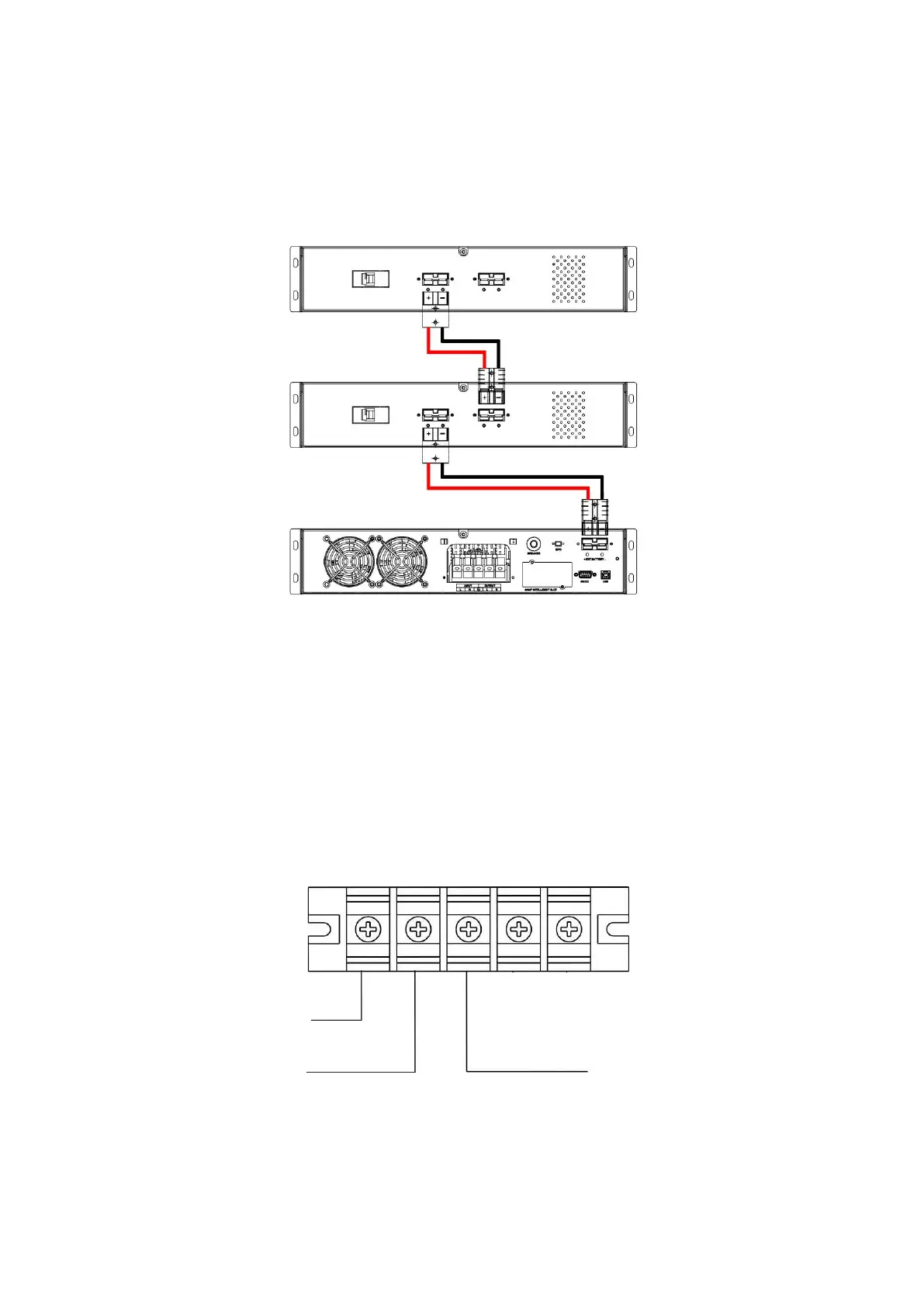
(3) Connect the battery cable attached to the external battery pack (optional) to the UPS’s battery
pack connector.
(4) Set the battery pack’s circuit breaker to the ON position.
STEP 2: UPS INPUT CONNECTION
For Socket - Plug the UPS into a two-pole, three-wire and grounded receptacle only. Avoid using
extension cords.
For terminal connection - Remove the terminal block cover on the rear panel of UPS. Then connect
the wires according to the following terminal block diagrams: (Connect the earth wire first when
making wire connection.)



 To Next Page