93-346-80 Issue 4 © Copyright Protec Fire Detection PLC 2011
VR1 LCD Contrast – Factory Set
VR2 Control Loop Out Balance
VR3 Control Loop In Balance
VR4 Outstation Balance
VR6 Handset Earpiece Volume – Adjust for satisfactory audio level,
VR8 External Speaker Volume (Not Fitted)
VR9 VOX Gain – Adjust for satisfactory voice operated control.
Too high Outstation won’t hear panel
Too low Panel won’t hear outstation
To enable software download press and hold the ‘Setup’ button and then press ‘Reset’. Release
the setup button and the panel will display;
0Xcsum = checksum of either the operating system software or the site file.
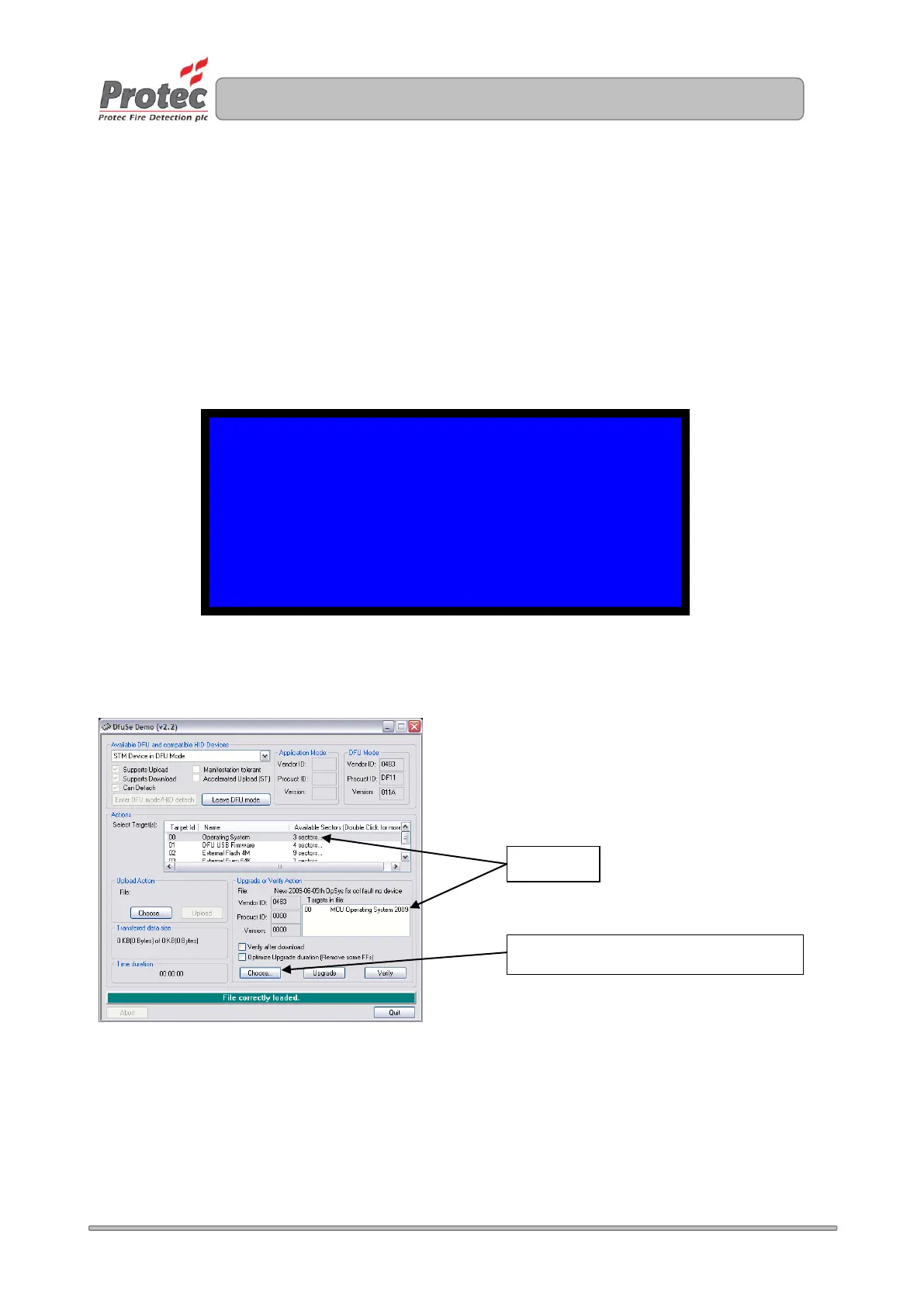
Use ‘Dfuse’ to download relevant software by selecting either target 00 for operating system or
target 04 of nodefile (site file).
Once the site file has been downloaded the outstations group data can take up to 40 minutes (1
minute per outstation) to update. To save time after downloading the site file re-log the loop.
PROTEC FIRE DETECTION PANEL 1
USB SOFTWARE UPDATE UTILITY V1.00
OPSYS mm dd yyyy hr:mm:ss V0.9 0Xcsum
NDFILE mm dd yyyy hr:mm:ss V0.9 0Xcsum
USB CABLE DISCONNECTED - PLEASE CONTECT
Click to choose which file to download


 To Next Page