93-346-80 Issue 4 © Copyright Protec Fire Detection PLC 2011
1.3 Outstation Operation
Instigating a Call
Call are instigated by a) Picking up the handset on a Fire Telephone Unit
b) Pressing the Call / Answer button on a Refuge Unit
Picking Up a Call at an Outstation
Incoming Calls are indicated by a) The Ring Tone on a Fire Telephone Unit
b) Flashing Red Led and the Ring Tone on a Refuge Unit
c) If a strobe is fitted for use on Fire Telephone or Disable Toilet Alarm
this will flash
The call is connected by a) Picking up the handset
b) Pressing the Call / Answer button
Terminating a Call
Calls are terminated by a) Replacing the handset on a Fire Telephone Unit
b) The MCU controller replacing their handset
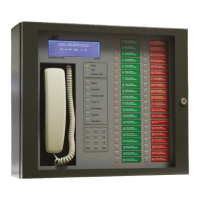
LED Colour
Green - Outstation Healthy
Flashing Red - Call waiting
Steady Red - Call acknowledge
Steady Orange - Fault


 To Next Page