Building your MINI+
Original Prusa MINI+ semi-assembled 11
STEP 11 Connecting the LCD cable
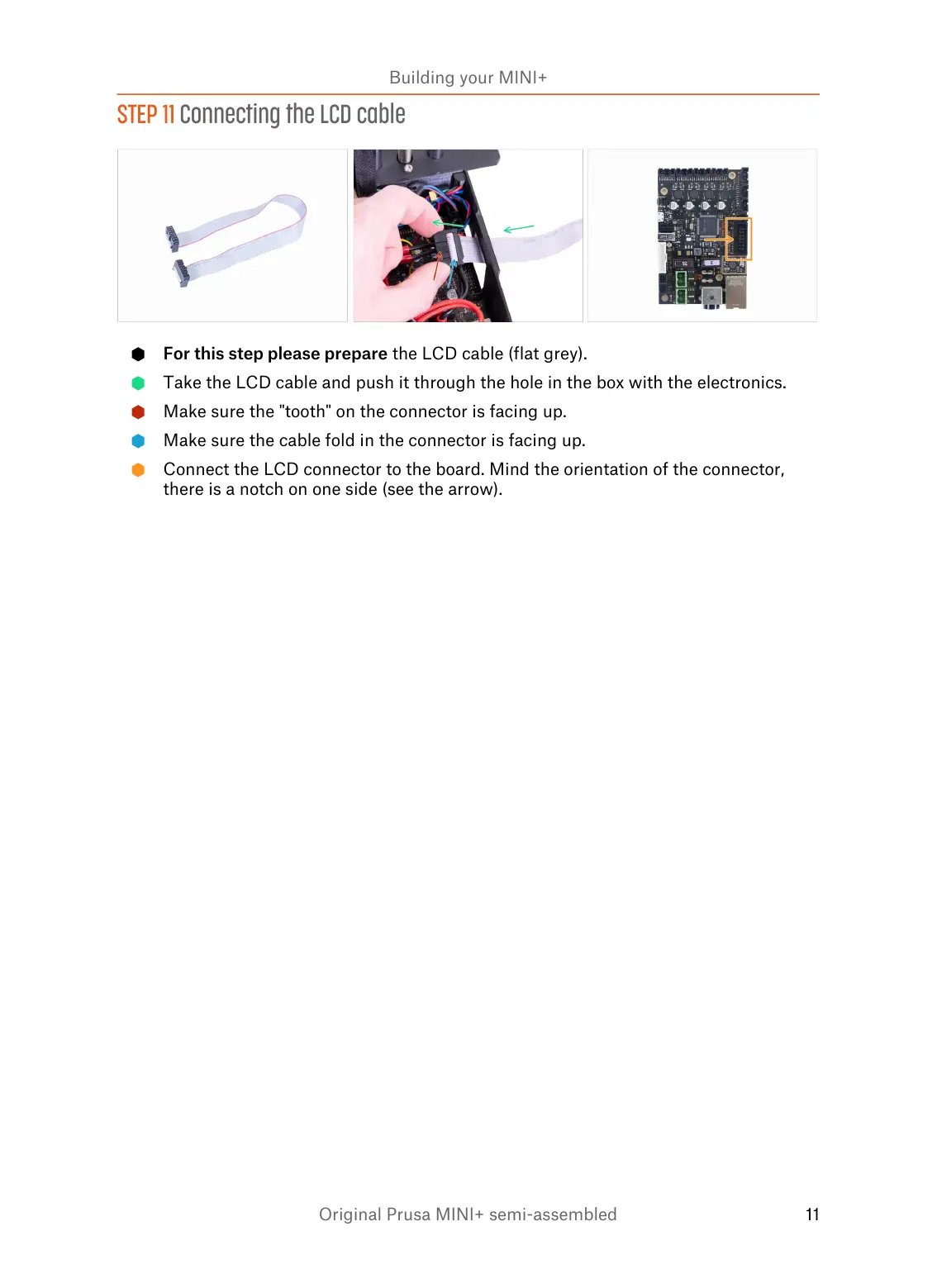
For this step please prepare the LCD cable (flat grey).
Take the LCD cable and push it through the hole in the box with the electronics.
Make sure the "tooth" on the connector is facing up.
Make sure the cable fold in the connector is facing up.
Connect the LCD connector to the board. Mind the orientation of the connector,
there is a notch on one side (see the arrow).














 To Next Page