Building your MINI+
Original Prusa MINI+ semi-assembled 15
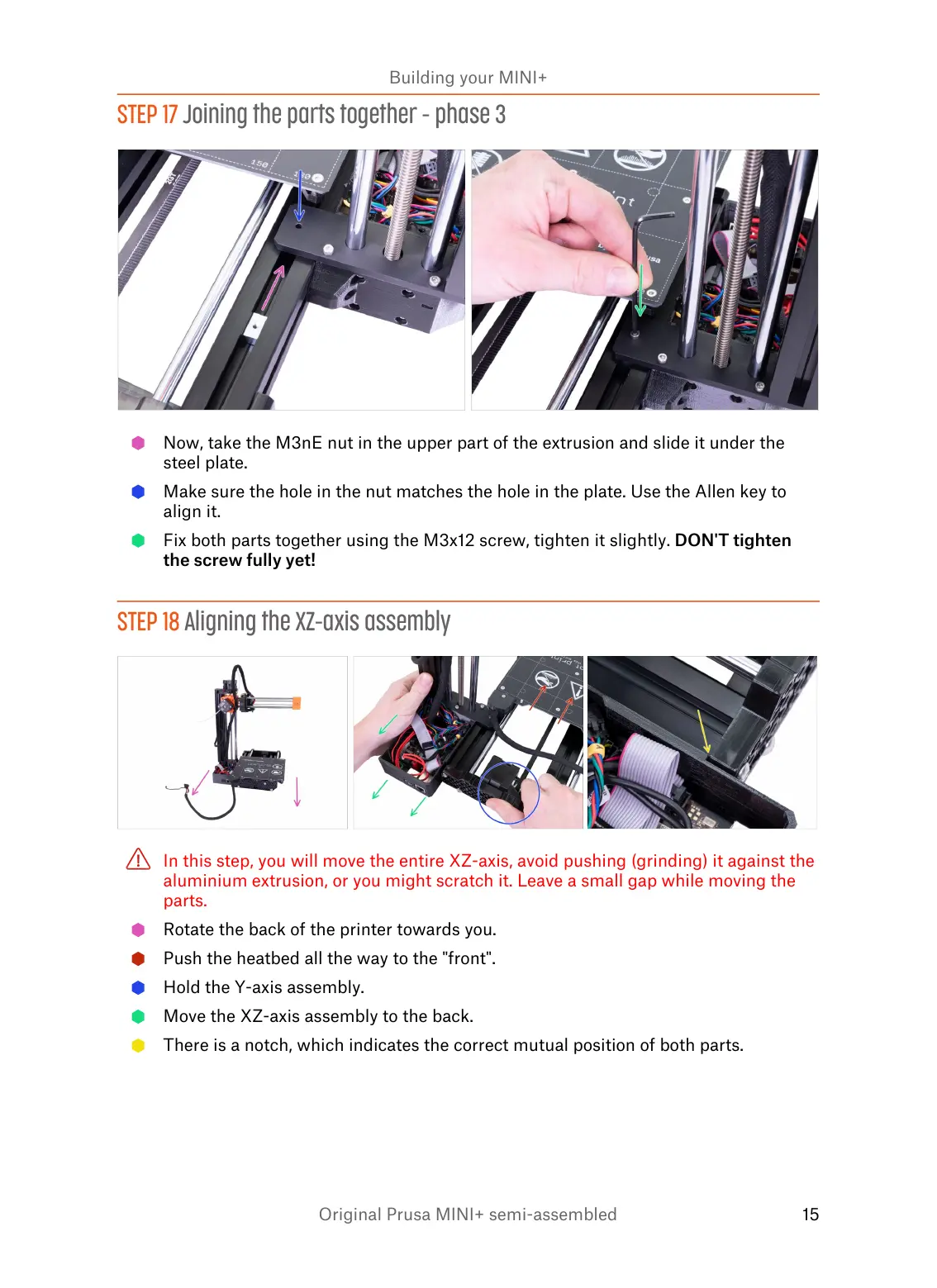
STEP 17 Joining the parts together - phase 3
Now, take the M3nE nut in the upper part of the extrusion and slide it under the
steel plate.
Make sure the hole in the nut matches the hole in the plate. Use the Allen key to
align it.
Fix both parts together using the M3x12 screw, tighten it slightly. DON'T tighten
the screw fully yet!
STEP 18 Aligning the XZ-axis assembly
In this step, you will move the entire XZ-axis, avoid pushing (grinding) it against the
aluminium extrusion, or you might scratch it. Leave a small gap while moving the
parts.
Rotate the back of the printer towards you.
Push the heatbed all the way to the "front".
Hold the Y-axis assembly.
Move the XZ-axis assembly to the back.
There is a notch, which indicates the correct mutual position of both parts.














 To Next Page