Building your MINI+
Original Prusa MINI+ semi-assembled 21
STEP 30 Covering the electronics
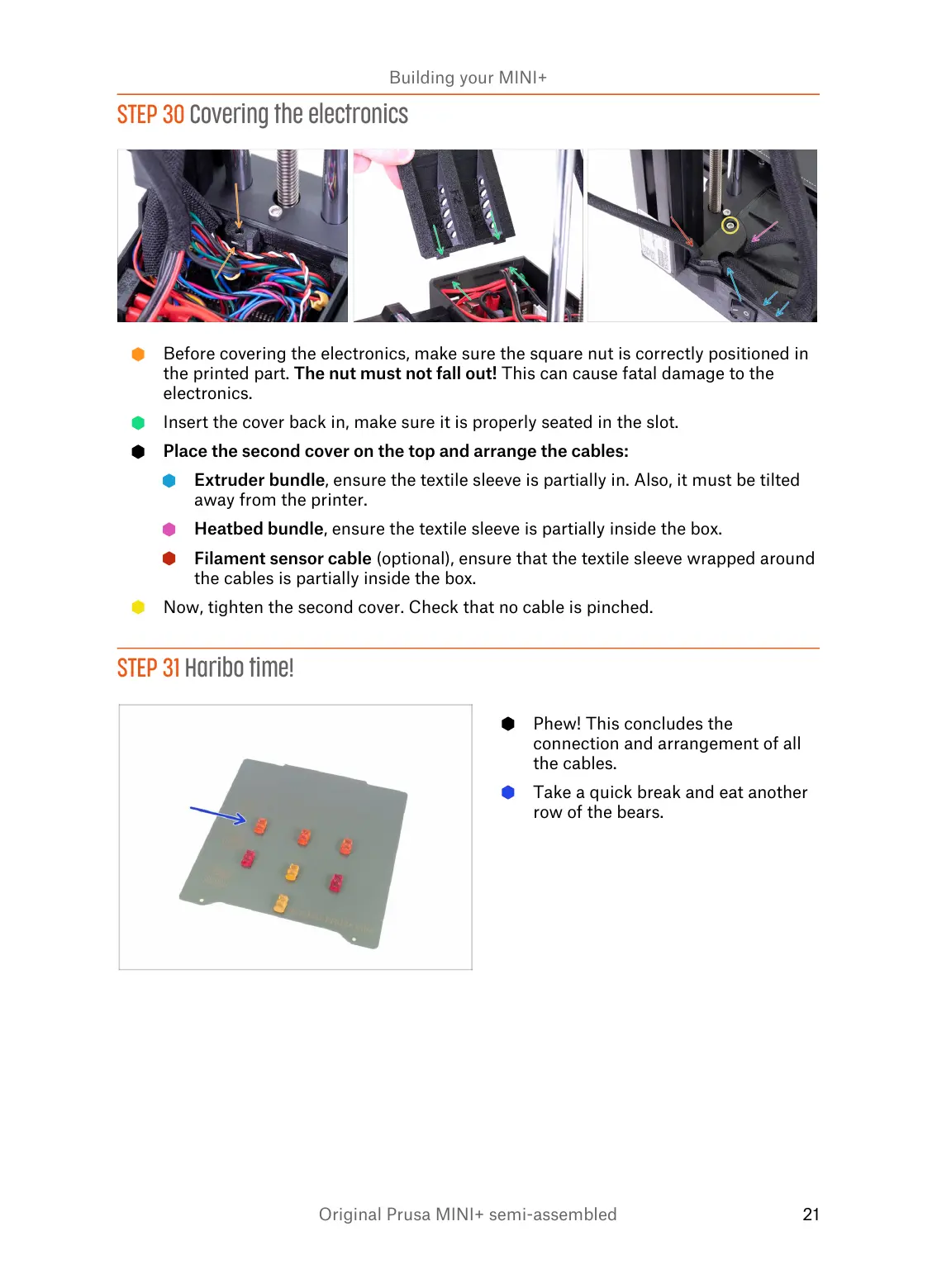
Before covering the electronics, make sure the square nut is correctly positioned in
the printed part. The nut must not fall out! This can cause fatal damage to the
electronics.
Insert the cover back in, make sure it is properly seated in the slot.
Place the second cover on the top and arrange the cables:
Extruder bundle, ensure the textile sleeve is partially in. Also, it must be tilted
away from the printer.
Heatbed bundle, ensure the textile sleeve is partially inside the box.
Filament sensor cable (optional), ensure that the textile sleeve wrapped around
the cables is partially inside the box.
Now, tighten the second cover. Check that no cable is pinched.
STEP 31 Haribo time!














 To Next Page