Building your MINI+
Original Prusa MINI+ semi-assembled 19
STEP 26 Connecting the heatbed cable
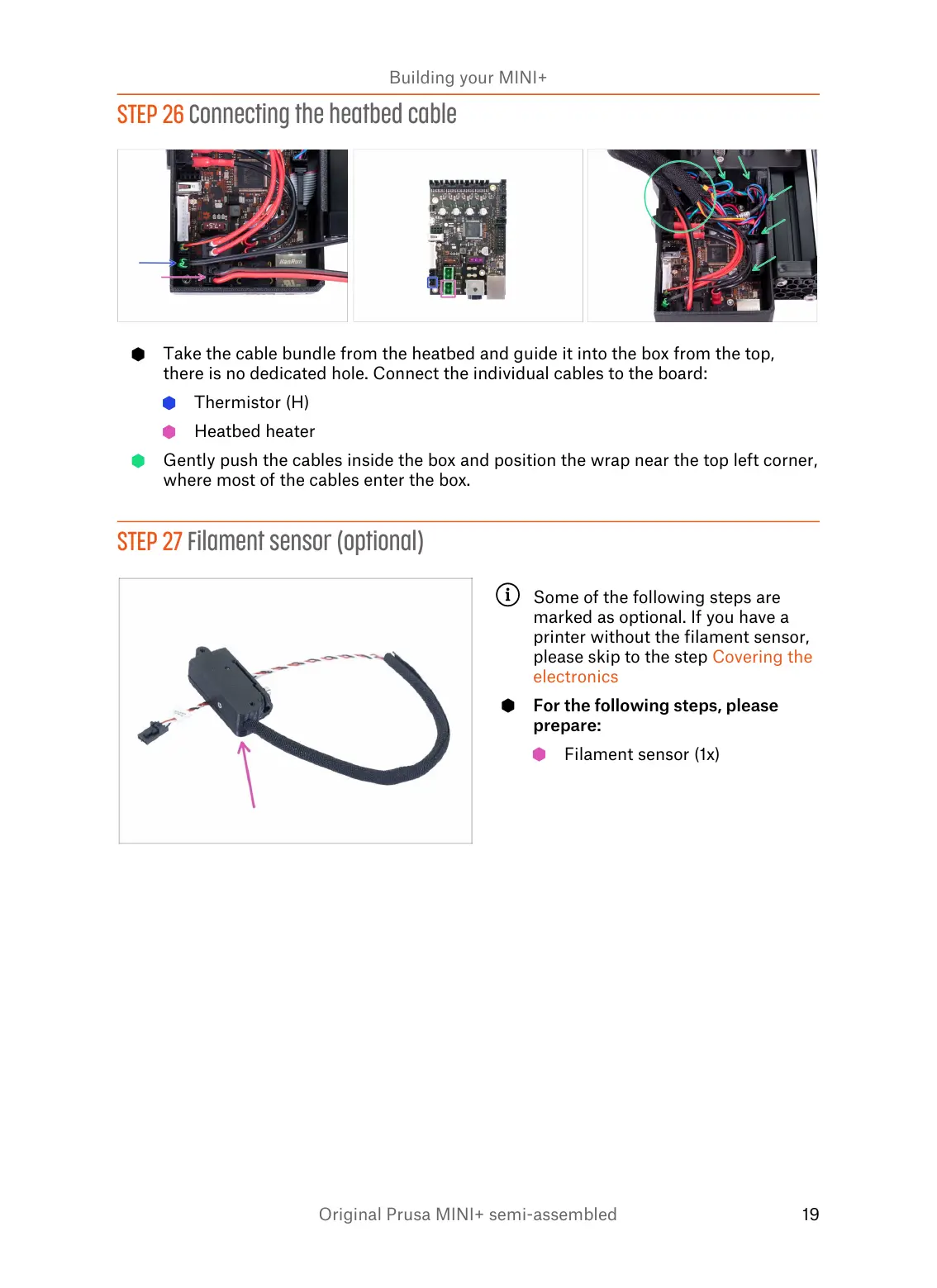
Take the cable bundle from the heatbed and guide it into the box from the top,
there is no dedicated hole. Connect the individual cables to the board:
Thermistor (H)
Heatbed heater
Gently push the cables inside the box and position the wrap near the top left corner,
where most of the cables enter the box.
STEP 27 Filament sensor (optional)
Some of the following steps are
marked as optional. If you have a
printer without the filament sensor,
please skip to the step Covering the
electronics
For the following steps, please
prepare:
Filament sensor (1x)














 To Next Page